Roblox Zee is an action game where players can enter a competitive world, battle other players, and earn Cash while progressing through the experience. If you want to build up your Cash without spending Robux or grinding for every reward, redeeming codes can be a helpful way to get started.
This Roblox Zee Codes guide lists the latest rewards, including free Cash that may help you progress faster. We update the list whenever new codes are found, and we move old rewards to the expired section once they stop working.
All Active Codes
Use the Roblox Zee code below as soon as you can. Codes are case-sensitive, so copy it exactly as shown to avoid typing errors.
| Code | Reward |
|---|---|
NEW! | 50 Million Cash |
Developers can disable codes without notice, so redeem it quickly if the game lets you enter it.
Expired Codes
There are no confirmed expired Roblox Zee codes at the moment.
We will move codes to this list once they no longer work. Checking this section before entering an old code can save you time and help you focus on the newest rewards.
How to Redeem Codes
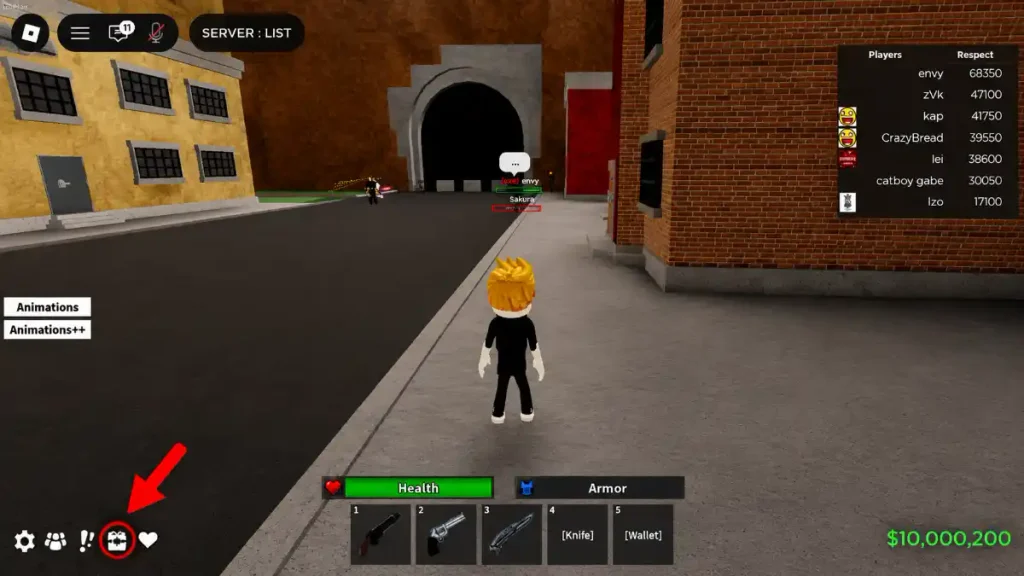
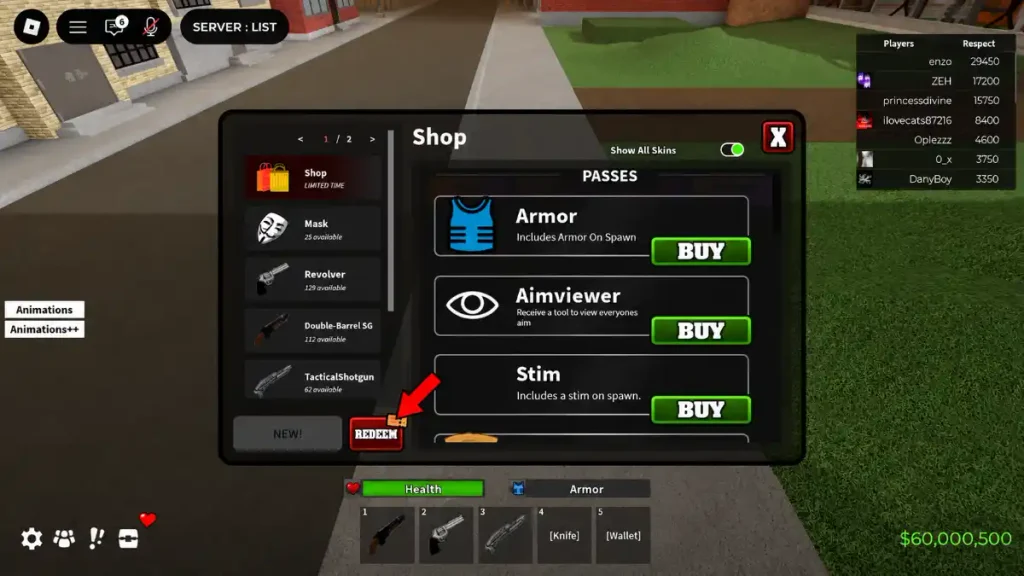
You can redeem Roblox Zee codes through the game’s code menu. Follow these steps:
- Open Roblox Zee on Roblox.
- Join a server and wait for the game to load.
- Look for the Chest icon in the bottom-left corner of the screen.
- Click the Chest icon to open the code redemption window.
- Enter an active code into the text box.
- Press Redeem to collect your free Cash.
The Chest icon is the button used to access the Roblox Zee code redemption area.
How to Get More Codes
New Roblox Zee codes can appear when the game receives updates, reaches major milestones, celebrates events, or gets fixes from the developer. The easiest way to avoid missing rewards is to bookmark this page and check back when you return to the game.
You should also keep an eye on official game announcements from the developer. Official Roblox pages and verified developer community posts are the safest sources for new code information.
Why Are Codes Not Working?
If a Roblox Zee code is not working, first make sure you entered it exactly as it appears in the table. A missing letter, an extra space, or a wrong capital letter can cause a code to fail.
It is also possible that the code has expired. Roblox developers can remove codes at any time, especially after an update, event, or milestone ends. If you have redeemed the reward before, the game will not allow you to claim it a second time.
Roblox Zee may also be unavailable at times. The official Roblox listing has stated that there are no running experiences, which can prevent players from joining a server and opening the redemption menu. The listing also says that players need a Roblox account that is at least 10 days old to play.
Check Out Also: All New Roblox Game Codes