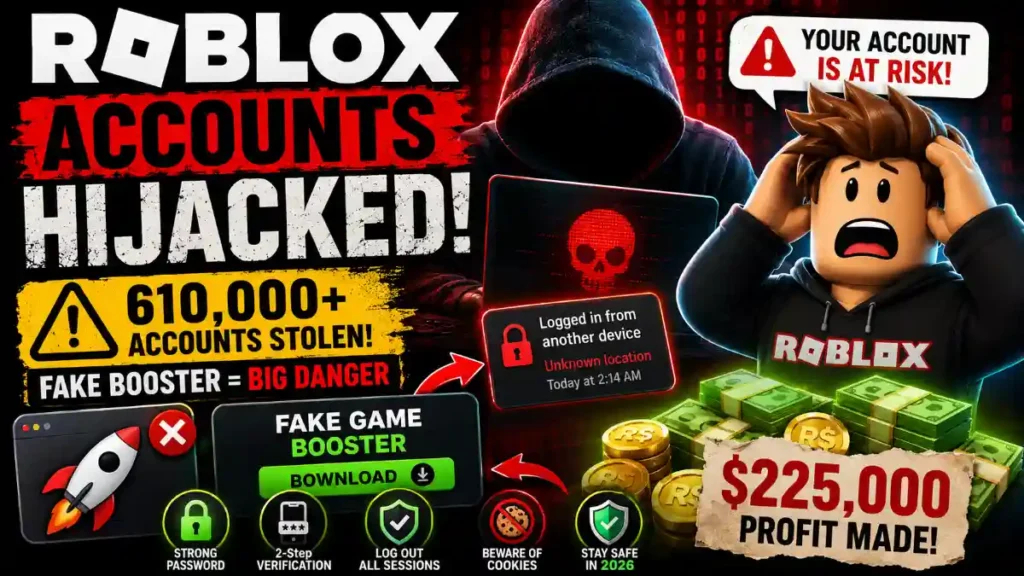
Roblox Accounts Hijacked: If you play Roblox, this story is a big warning. A 19‑year‑old and his friends used a fake “game booster” tool to hijack more than 610,000 Roblox accounts, then picked the best ones to sell for money. In this guide, you will learn what happened, how the malware worked, and simple steps you can follow to keep your own Roblox account safe in 2026.
Roblox Accounts Hijacked
What happened in this Roblox hacking case
In late April 2026, Ukrainian cyber police reported that three people from the Lviv region had been arrested for hacking Roblox accounts. The group was led by a 19‑year‑old, with two partners aged 21 and 22 helping him run the operation.
From October 2025 to January 2026, they scanned and hijacked more than 610,000 Roblox accounts using stolen browser session cookies instead of normal passwords. They then focused on 357 “elite” accounts that had lots of Robux, rare items, and valuable collectibles, and sold access to those accounts on underground cybercrime forums for about 225,000 USD worth of value.
Police later searched several locations in the Lviv region, seized computer equipment and phones, and confiscated tens of thousands of dollars in cash linked to the scam. The suspects are now facing serious cybercrime charges and could get long prison sentences if found guilty.
How the fake game booster malware worked
The hackers did not trick players with a normal phishing site or simple password stealers. Instead, they used malware hidden in tools that looked like Roblox “game improvements” or “game enhancements.”
These fake boosters were advertised as programs that could improve performance or give extra features, similar to how other fake game mods and cheats for Roblox and other games have been used to deliver info‑stealing malware. When players downloaded and ran the fake tool, it secretly searched their browser for Roblox login information and active session cookies, then sent this data back to the attackers.
The key idea is that the malware did not need to know your password directly. Instead, it stole the “session cookie” from your browser, which is like a special key that says “this user is already logged in.”
When you log into Roblox on a browser, the website sets a small piece of data called a “session cookie.” This cookie tells Roblox, “Yes, this user already logged in, you can show them their account without asking for the password again.”
In a cookie hijacking attack, malware or a malicious person steals this cookie and reuses it on their own computer. This lets them open your Roblox account as if they were you, without ever typing your password or seeing a two‑step verification code. That means even if you use a strong password and 2‑step verification, a stolen active session cookie can sometimes bypass those protections until the cookie expires or you log out everywhere.
This is exactly what happened in the Roblox case. The attackers used info‑stealing malware that targeted browser data, including cookies and saved logins, so they could hijack thousands of accounts quickly.
What hackers did with the stolen Roblox accounts
After stealing cookies and logging into player accounts, the group used tools to scan which accounts were actually valuable. They checked Robux balances, rare limited items, and old or special profiles that could sell for more money in underground marketplaces.
They then separated out about 357 “elite” accounts, which had the highest in‑game value, and sold access to these accounts on Russian‑language cybercrime forums and closed communities. Buyers could then log into those accounts, move Robux, trade or steal items, and sometimes flip the accounts again for profit.
The attackers made an estimated profit of around 225,000 USD in just four months by abusing these stolen accounts. This shows how dangerous it can be to trust random software that promises “better performance,” “free boosts,” or “secret cheats” for popular games.
How to know if your Roblox account might be at risk
You might be at risk if you have done any of these things recently:
- You downloaded a “Roblox booster,” “FPS unlocker,” “lag reducer,” “cheat,” or “mod” from an unofficial site or random link.
- You installed game tools from file‑sharing sites, shady forums, or unknown GitHub/drive links.
- Your browser has strange extensions related to Roblox, gaming, or “boosters” that you do not fully remember installing.
Signs that your account might already be compromised include these situations:
- You see trades, purchases, or Robux spending that you did not make.
- Your avatar items are missing or new items appear that you did not buy.
- You get kicked out of your account because the password was changed, or recovery details were changed without your permission.
If any of this sounds familiar, you should treat it as a serious warning and follow the safety steps below.
First steps if you installed a fake game booster
If you ever downloaded a suspicious Roblox booster or cheat, your first job is to clean your device, then secure your Roblox account.
- Run a full anti‑malware scan on your computer.
Use a trusted security program to scan your system and remove any info‑stealing malware that might be present. - Check your browser extensions.
Remove any unknown or untrusted extensions, especially those related to Roblox, “boosters,” “cheats,” or free Robux generators. - Clear browser cookies and history.
Clearing cookies will log you out of most sites, but it also destroys stolen session cookies so attackers can no longer reuse them. - Change your Roblox password.
Use a strong, unique password that you are not using on any other site. - Turn on 2‑Step Verification (2SV) for Roblox.
Go to Settings → Security and enable 2‑Step Verification by email or authenticator app, which adds a second code when you log in from new devices. - Log out of all other sessions.
In your Roblox Security settings, use the “Log out of all other sessions” button so any hijacked cookie sessions are shut down.
If you are completely locked out because the hacker changed your password and recovery email, use the “Forgot Password or Username?” link on Roblox and then contact Roblox Support with as many account details and payment proofs as you can to prove ownership.
How to keep your Roblox account safe in 2026
You cannot control what hackers do, but you can make your own account a lot harder to steal. These habits are based on Roblox’s official safety advice and security experts’ recommendations.
Use strong, unique passwords
Create a password for Roblox that you do not use anywhere else. Avoid simple words, names, or obvious patterns, and never share it with friends or strangers.
Enable 2‑Step Verification on Roblox
Turn on 2‑Step Verification in your account Security settings so a code from your email or authenticator app is needed when logging in from new devices. This extra step makes it much harder for someone with just your password to get in.
Avoid unofficial boosters, cheats, and “mods”
Treat any “Roblox booster,” “FPS unlocker,” or “free Robux tool” from third‑party sites as dangerous, especially if they are not clearly from trusted, well‑known sources. Many modern malware campaigns use fake game tools to steal data from browsers and crypto wallets.
Keep your software updated and protected
Use a modern browser, keep your operating system and apps updated, and run an active anti‑malware program so infostealers have a harder time working on your device.
Check your Roblox security settings often
Regularly review your Roblox sessions and security page. If you see strange devices or locations, log out everywhere and change your password immediately.
Simple safety rules for kids and parents
Because many Roblox players are children, it is important for families to treat account security as a shared responsibility.
Parents can help by setting up 2‑Step Verification, verifying the email on the child’s account, and teaching them that no one from Roblox staff will ever ask for passwords or codes. Kids should learn to say no when someone on a game or chat says, “Download this booster,” “Use this free Robux app,” or “Give me your cookie so I can help.”
By understanding how this 610,000‑account hijacking happened and following the steps in this guide, you can make your own Roblox account much safer and avoid falling for fake game boosters or other dangerous tools in the future.