Getting banned on Roblox is stressful, but getting IP banned is on another level entirely. A normal account suspension affects just one profile, but a Roblox IP ban can block your entire internet connection from reaching the platform. Every device, every account, every new sign up on your network can be shut out.
Whether you think the ban is unfair, are trying to understand what happened, or just want to protect yourself, this guide covers everything about Roblox IP bans in 2026: what causes them, how long they can last, and the safest ways to get unbanned.
Quick Summary
A Roblox IP ban blocks a specific internet address (IP) from accessing Roblox, which can affect every device and account using that connection. IP bans are typically associated with serious issues like exploiting, botting, repeated Community Standards violations, or ban evasion.
They can last from a short temporary period to effectively permanent, depending on the case. The safest first step is to appeal through Roblox Support within 30 days of the moderation action. Technical workarounds such as restarting your router or switching to a different network may help when your ISP uses dynamic IPs, but aggressive evasion attempts can trigger deeper enforcement bans that are very hard to reverse.
Types of Bans on Roblox
Roblox uses several layers of enforcement to keep the platform safe. There is no single official “ban types” page, but based on official materials and community documentation you can think of several main categories.
Account Moderation Bans
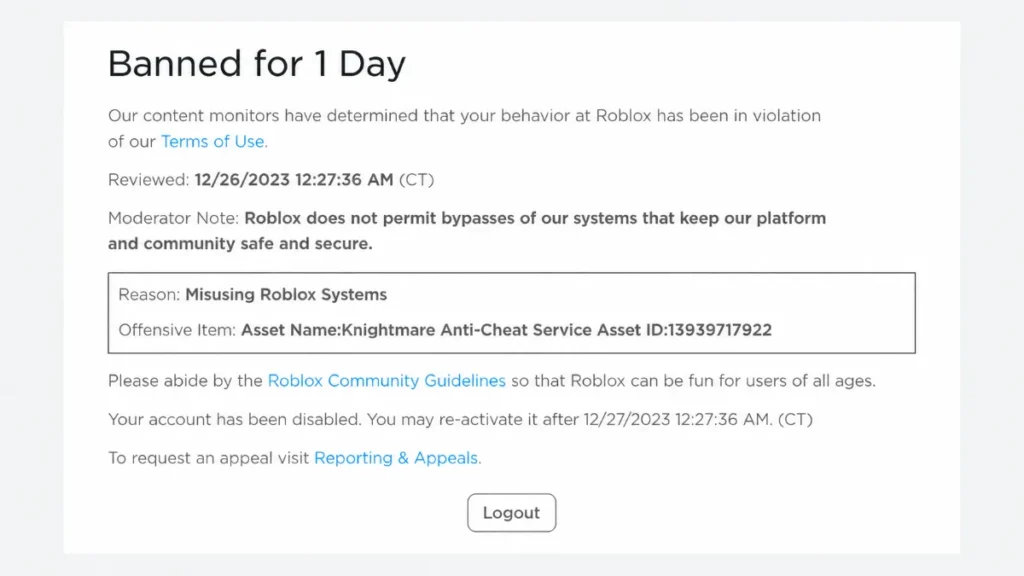
These are the classic bans most players know. They include warnings, 1 day bans, 3 day bans, 7 day bans, and permanent account deletion or termination. They apply directly to your Roblox account when you violate Community Standards. When an account is moderated, you may see a screen explaining what happened and how long the ban will last.
Experience (Game) Bans
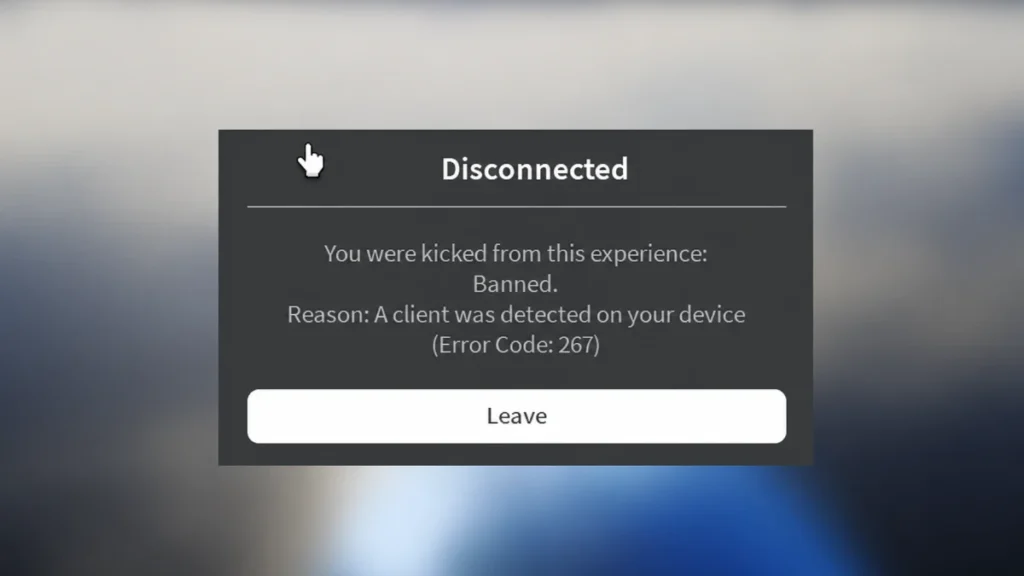
Per game bans are managed by individual experience creators. Scripts in those experiences can ban or kick your account from that specific game. These bans are often surfaced through error messages such as error code 267, and they only block you from that game, not from Roblox as a whole.
Enforcement Bans (Ban Evasion)
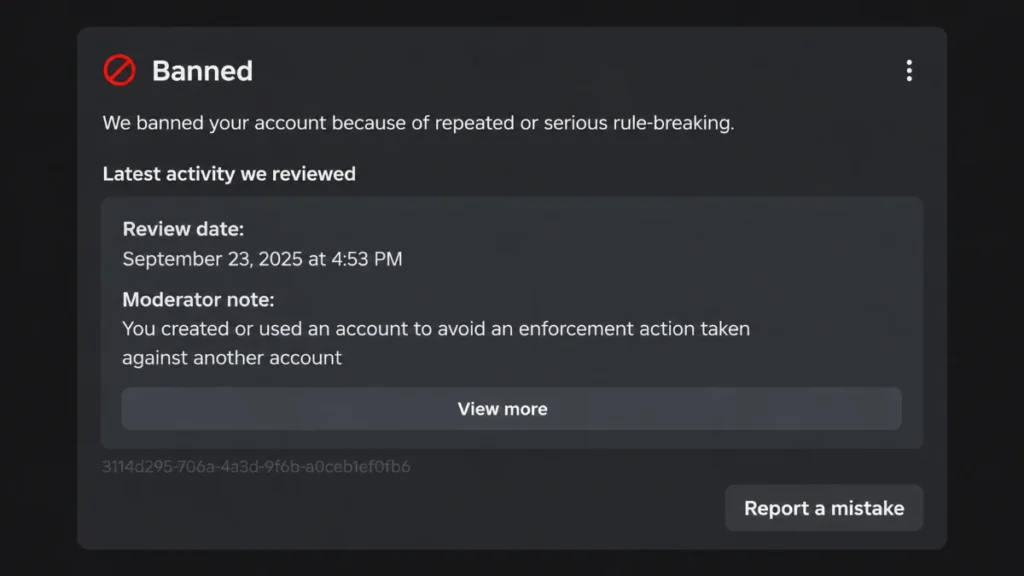
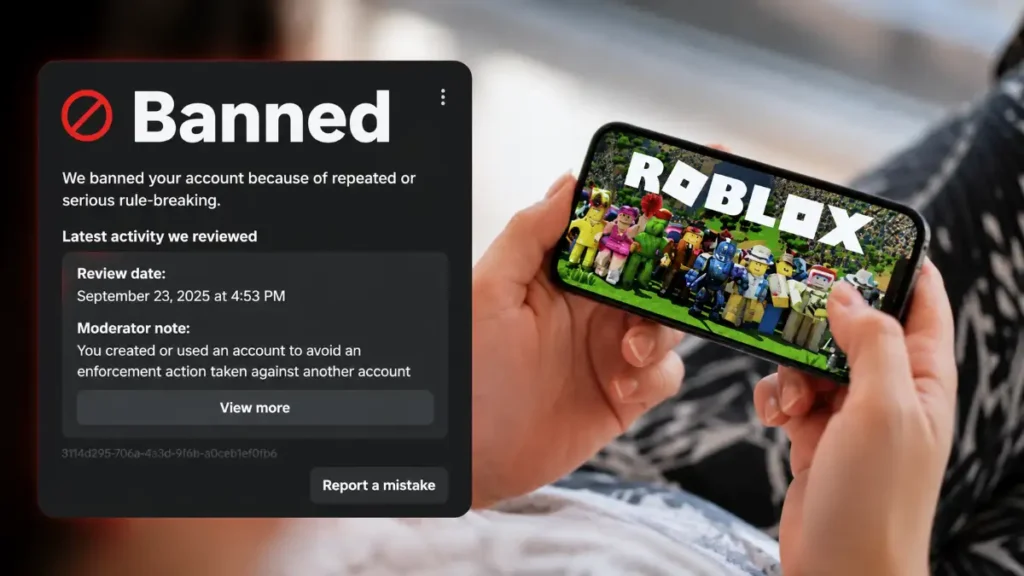
Enforcement bans target accounts that Roblox believes were created or used to avoid previous moderation actions. These are among the most severe actions and often result in account termination rather than short suspensions. The message usually states that you created or used an account to avoid an enforcement action taken against another account.
Network Level (IP) Bans
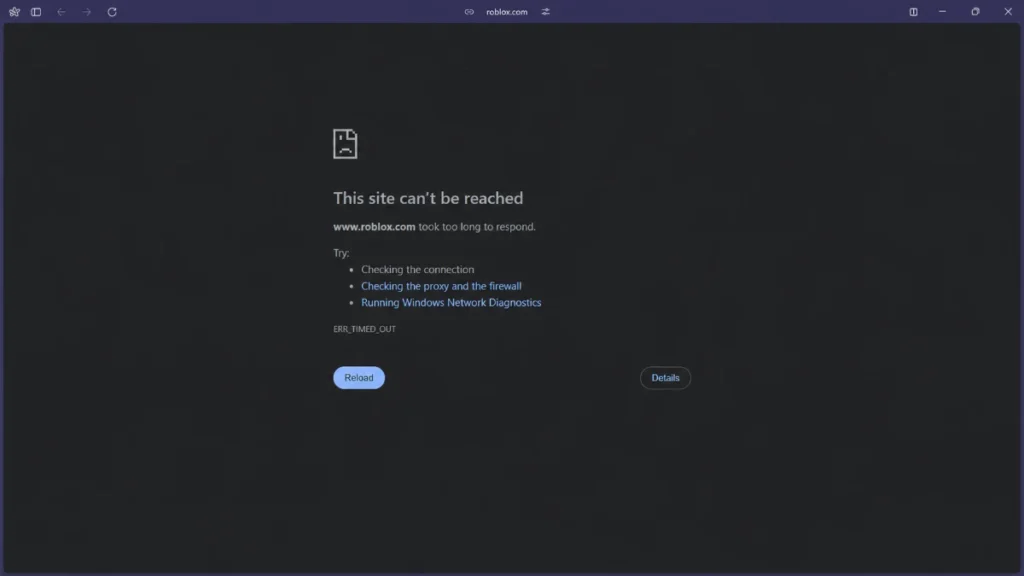
Network level bans are platform side blocks on specific IP addresses. When they happen, all devices and accounts using that connection can be prevented from accessing Roblox services. IP bans make it much harder to simply create new accounts or reconnect from the same home network.
What Is a Roblox IP Ban?
Technical Definition
A Roblox IP ban occurs when Roblox blocks a particular IP address from connecting to its servers. Any traffic from that IP, such as website visits, app usage, and game joins, is denied.
Unlike an account ban, which targets a single user profile, an IP ban can affect all devices and accounts using that internet connection, including newly created accounts on the same network.
Roblox does not give game developers direct access to users’ IP addresses. Experience creators ban players by user ID, while any IP level enforcement is handled internally by Roblox.
Signs You Might Have an IP Ban
Roblox does not show a standard message that says “you are IP banned.” However, based on player experiences, you may be facing an IP level restriction if:
- Your home network cannot access Roblox. Logins fail, experiences do not load, or you are blocked from all accounts that previously worked on that Wi Fi.
- The same accounts work on a different connection. Logging in via mobile data, a hotspot, or another network works normally, which suggests the issue is tied to your home IP.
- New accounts also fail on that network. Accounts created on the affected Wi Fi cannot access Roblox, even though they work elsewhere.
Important: These symptoms can overlap with enforcement bans against multiple linked accounts. From a user perspective, it is not always possible to distinguish a pure IP ban from broader enforcement affecting accounts on the same network.
Why Roblox Bans: Community Standards and Enforcement
General Reasons for Bans
Roblox’s Community Standards explain why bans happen. They are meant to protect players and keep the platform safe. Common reasons include:
- Harassment and hate: bullying, threats, or hateful content aimed at individuals or groups.
- Unsafe content: sexual content, exploitation, and other violations of child safety and content rules.
- Scams and spam: phishing, scam links, fake giveaways, and mass spam messaging.
- Exploiting: using script executors, cheat engines, or external tools to alter game behavior.
- Bypassing moderation: attempting to avoid chat filters or content moderation systems.
Enforcement Bans (Ban Evasion)
Enforcement bans are special bans used when Roblox systems detect that an account was created or used to avoid an enforcement action taken against another account.
The typical enforcement message indicates that the account is linked to a previously banned account, and these actions are often permanent deletions rather than short suspensions.
How Roblox may link accounts, based on public information:
- IP address and network patterns
- Email address and phone number
- Device information and identifiers
- Behavioral signals such as similar usage patterns
This means that if one account in a household is banned and new accounts share many of these identifiers, Roblox may treat them as ban evasion, even if different people created them.
Account Ban Lengths and Escalation
Roblox’s help center and community documentation show a consistent set of account moderation durations:
| Level | Duration | Details |
|---|---|---|
| Warning | No lockout | You receive a notice but keep full access |
| 1 Day Ban | 24 hours | First suspension; access returns automatically |
| 3 Day Ban | 72 hours | Stronger suspension for repeat violations |
| 7 Day Ban | 7 days | Often a final step before permanent action |
| Account Deletion | Permanent | Profile, items, and Robux are removed |
How Ban “Stacking” Appears to Work
Community reports and moderation examples suggest that bans stack over time depending on the violation type:
Non exploit or chat violations, around a 30 day window:
Multiple chat or minor violations within roughly 30 days can escalate your ban length. After about a month without new violations, players report that severity may reset.
Exploiting violations, around a 365 day window:
Exploiting bans appear to have a longer memory. Repeated exploiting within roughly a year can escalate quickly toward severe or permanent bans.
Note: Roblox does not publish a simple “three bans and you are permanently banned” rule in official help content. The warning → 1 day → 3 day → 7 day → deletion path is an observed pattern from community data and moderation screenshots, not a guarantee.
Chat and Voice Bans
Not all moderation actions remove your ability to play. Some specifically target how you communicate on Roblox.
Text Chat Bans and Timeouts
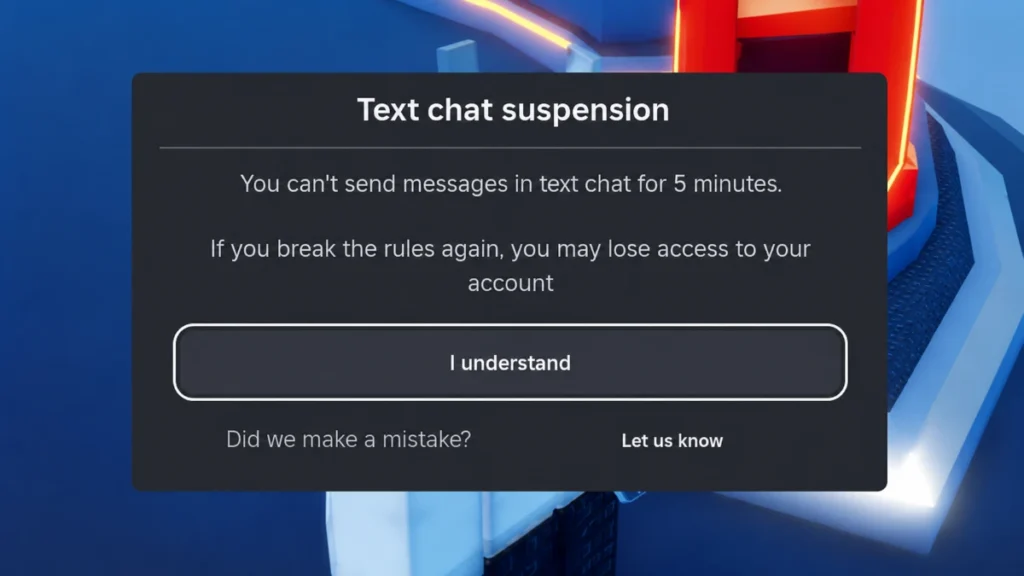
Roblox can temporarily block your access to text chat when you repeatedly send messages that violate rules. With newer chat systems, violations can trigger:
- Short mutes or chat blocks that last a few minutes or longer.
- Escalating chat restrictions when you keep sending rule breaking messages.
- In some cases, chat violations that contribute to full account moderation if they are serious or repeated.
During a chat ban or timeout you may still be able to play games, but you cannot send messages until the block expires.
Voice Chat Bans
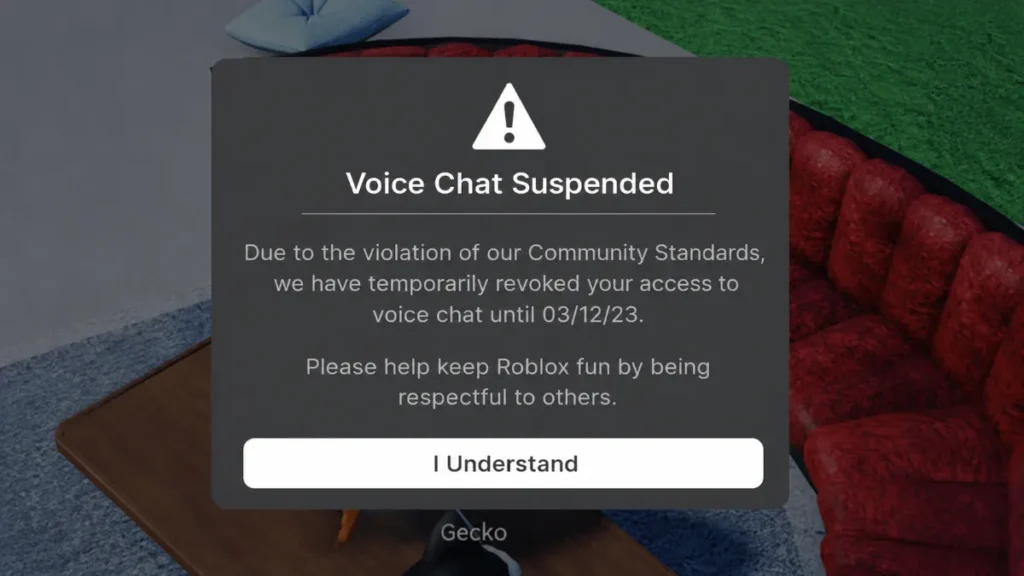
Roblox also moderates voice chat separately. Users can receive temporary voice chat bans or suspensions when they use voice in ways that break guidelines, such as repeated unsafe or inappropriate language. In those cases:
- You lose access to voice chat for a period of time.
- You may still be able to play experiences and use text chat, depending on the action.
- Repeated or severe voice violations can contribute to broader account moderation.
Chat and voice bans are important to mention because they are a common way players experience moderation without seeing a full account suspension screen. They still count as enforcement and, if ignored, can lead to more serious actions later.
Experience Bans and Error Code 267
What Error Code 267 Means
Error code 267 indicates your account was banned from a specific experience by that experience’s creator.
It is not:
- A permanent ban from Roblox
- An IP ban
- A platform wide suspension
It is:
- A ban from one specific game
- Applied by the game’s creator or their scripts
- Based on your user ID rather than your IP
When you see error 267, you can still use your account normally in other games, and other users on your network can access Roblox as usual. Most in game ban systems store banned user IDs in data stores and check them when players join, without reading IP addresses.
IP Bans: Causes, Duration and Impact
Common Causes of IP Bans
Roblox does not publish an official IP ban causes list, but guides and player reports consistently point to these triggers:
- Severe exploiting: heavy use of script executors, cheat tools, and unauthorized modifications.
- Bots and automation: running mass farming bots, automated trading accounts, or spam bots.
- Repeated Terms of Service violations: ongoing harassment, scams, or inappropriate content originating from the same network.
- Ban evasion with multiple accounts: creating many accounts that are quickly banned, especially when they appear linked to earlier enforcement actions.
- Enforcement escalation: when enforcement systems detect strong overlaps between banned and active accounts, they may escalate beyond individual profiles.
Payment abuse and chargebacks can trigger serious enforcement and longer bans, but there is no universally confirmed official duration for these cases.
How Long Do IP Bans Last?
Roblox does not list IP ban durations in official help articles. Based on community experiences, people observe patterns roughly like this:
| Severity | Observed Duration | Common Context |
|---|---|---|
| Light | A few hours to 1 day | Rate limiting, suspicious activity |
| Moderate | Around 7 days | First time exploiting or mild bots |
| Strong | Weeks to several months | Repeated violations or harsh abuse |
| Permanent | Indefinite, unless lifted | Persistent ban evasion or severe exploits |
Important: These durations are based on player experiences and third party analysis. IP ban lengths vary by case, and only Roblox staff can confirm specific decisions for a given account or network.
What an IP Ban Affects
An IP level block can prevent the following from your network:
- Accessing the Roblox website or app
- Logging into any account from that IP
- Joining experiences, using chat, and participating in social features
- Playing from any device on the banned Wi Fi, computers, phones, tablets, and consoles
How to Appeal a Roblox Ban
Roblox provides a formal appeals process for account and content moderation.
Step 1: Go to Roblox Support
Use the appeal or support form on the Roblox help site. Look for moderation or violations and appeals in the category options.
Step 2: Fill Out Your Information
Provide:
- Your username
- A valid email address associated with the account
- A clear explanation of why you believe the moderation was incorrect or unfair
Focus on facts, not just anger. Describe what happened, why you think it was a mistake, and anything that might help staff understand the situation, such as shared devices or networks.
Step 3: Respect the Time Window
Appeals generally need to be submitted within 30 days of the moderation action affecting the account. Duplicate appeals for the same action are unlikely to be reviewed.
Step 4: Wait for a Response
Player reports suggest typical response times of 1 to 3 business days, although escalated or complex cases can take longer, sometimes up to a couple of weeks.
Key Appeal Rules
- Only the account owner may appeal.
- Use a valid email for the account in question.
- Users in some regions may have extended appeal rights under local regulations.
- Submitting multiple appeals for the same action can delay or prevent review.
Tips for Enforcement or Suspected IP Related Appeals
For difficult cases, many players recommend:
- Explain clearly if you share a network with family or roommates and did not personally violate rules.
- Clarify any references to alternate accounts that are not yours, with context such as account age, devices, and region.
- Keep the tone honest and factual rather than emotional or aggressive.
- Be patient; enforcement related appeals often have lower success rates, but some are reversed.
How to Fix or Diagnose an IP Ban
Disclaimer: Roblox’s official documentation does not instruct users on bypassing bans. The steps below focus on diagnosis and general connectivity troubleshooting. Attempting to evade enforcement actions can be treated as ban evasion and may lead to more severe, permanent bans.
Method 1: Check If It Is Really IP Level
Before attempting any fix, confirm whether the problem is tied to your network:
- Try logging in from mobile data or a hotspot. If your account works there but not on home Wi Fi, it points toward network level restriction.
- Test another account on the same home network. If multiple accounts fail, the issue may be network wide rather than a single account.
Method 2: Change or Refresh Your IP
For normal connectivity troubleshooting, not ban evasion, common steps include:
- Restart your router. On many home internet plans with dynamic IPs, unplugging the router for several minutes and restarting can lead to a new IP address.
- Use a different network. Switching from Wi Fi to mobile data, or using a personal hotspot, moves you to another IP and can act as a workaround while you appeal.
- Ask your ISP. Some providers can change a static IP on request, though they are not required to do so.
Method 3: Why VPNs and Proxies Are Risky Here
Some guides promote VPNs, residential proxies, and special browsers to bypass bans. However:
- Free or heavily abused VPN IPs are more likely to be blocked.
- Roblox can use device information, email, phone, and behavior in addition to IP, so simply changing IP may not avoid enforcement.
- Deliberate evasion using advanced tools can itself be detected and may trigger enforcement bans that are much more difficult to appeal.
Recommended Priority: Safe Recovery
From a safety and account health standpoint, the most reliable path is:
- Stop any violating behavior immediately, including exploits, bots, or evasive accounts.
- Submit a single, well written appeal using Roblox’s official support channels, explaining your situation clearly.
- Use basic connectivity steps such as router restart and hotspot test primarily to diagnose and maintain access, not to repeatedly evade enforcement.
Under 13 Accounts and Safety Controls
There is a lot of confusion around younger users on Roblox. Official materials indicate:
- Roblox uses age based account types and strong parental controls for younger users, not blanket bans.
- Under 13 accounts have tighter chat filters, privacy limits, and interaction rules; some features require parental consent.
- Age estimation and verification can adjust settings. If an account self reports one age but is estimated under 13, there may be grace periods or restricted features.
Roblox is not systematically banning all under 13 accounts. It is limiting features and taking action against accounts that appear fake or unsafe, especially where child safety is concerned.
Frequently Asked Questions
Are Roblox IP bans permanent?
Not always. Many players report that temporary IP bans can last from a few hours up to around 7 days, while severe enforcement or repeated ban evasion can result in bans that remain until they are specifically lifted. Only Roblox staff can confirm the duration of a specific case.
Can a game developer IP ban me?
No. Developers cannot see IP addresses and cannot IP ban players directly. They can ban you by user ID from their game, which appears as in game ban messages or codes like 267, but IP level enforcement is controlled by Roblox itself.
Does error code 267 mean I am IP banned?
No. Error code 267 means your account was banned from a particular experience, not from Roblox globally. It is an experience level ban, not an IP ban, and you can still play other games and use your account elsewhere.
Will a VPN always bypass a Roblox IP ban?
No. A VPN can change your apparent IP, but Roblox uses more than just IP to detect ban evasion, and many VPN ranges are already flagged. Using VPNs or proxies specifically to evade enforcement can lead to stricter bans and is not recommended.
How long does a Roblox appeal take?
Based on player experiences, many appeals receive replies within 1 to 3 business days, while complex or escalated cases can take longer. Once a moderation has been reviewed and a final decision is made, it generally is not reviewed again.
Can someone else’s ban affect my account?
It can. If a banned account shares your IP, email domain, phone number, device, or other identifiers, enforcement systems may consider new accounts on that network as possible ban evasion. If this happens unfairly, explain the shared household situation clearly in your appeal.
Do ban strikes ever expire?
Community discussions suggest that non exploit violations have roughly a 30 day stack window and exploiting violations around a 365 day window, after which severity may reset if no new violations occur. These timelines are observational, not official policy.
This article is for informational purposes only. Roblox is a trademark of Roblox Corporation. This site is not affiliated with or endorsed by Roblox Corporation.