If you earn Robux from selling items, game passes, or receiving payouts, you may notice that some of your Robux show up as Pending Robux before they become available. This is normal and usually means Roblox is still processing the transaction.
Pending Robux are held temporarily to help protect users and reduce fraud, chargebacks, and suspicious activity. In most cases, the Robux will be released automatically after the review period is complete.
What Are Pending Robux?
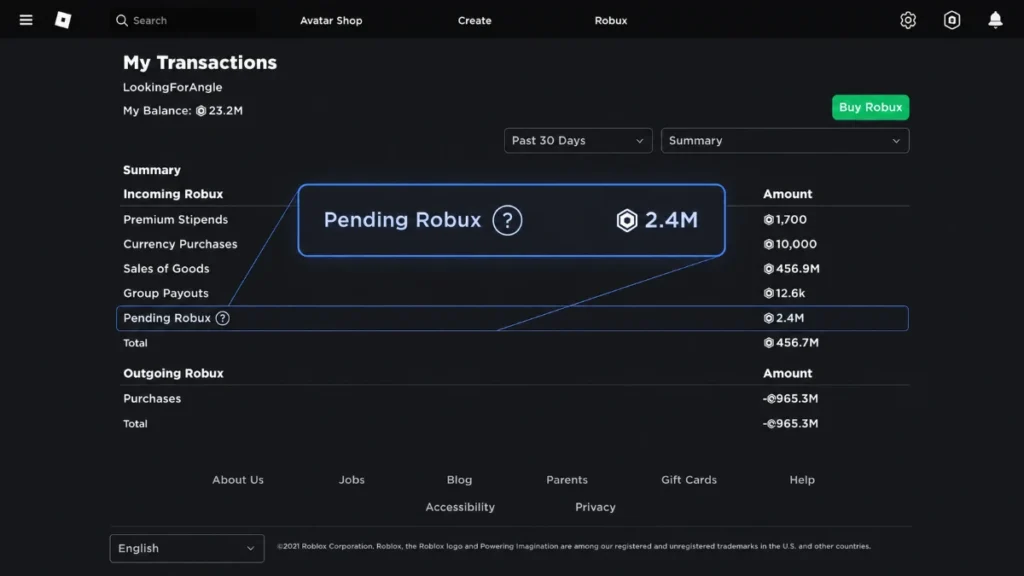
Pending Robux are Robux you have already earned but cannot use yet because Roblox is still verifying the transaction. This delay gives Roblox time to check that the payment or sale is legitimate.
When someone buys your item, pass, or other eligible content, the Robux may not appear immediately in your usable balance. Instead, they move into a pending status first.
Why Does Roblox Hold Robux as Pending?
Roblox uses a pending period to keep transactions safe and fair. It helps prevent fraud, stolen payment methods, unauthorized purchases, and refund problems.
This system protects both buyers and sellers. While waiting can be frustrating, it is part of how Roblox keeps the platform secure.
How Long Do Pending Robux Take?
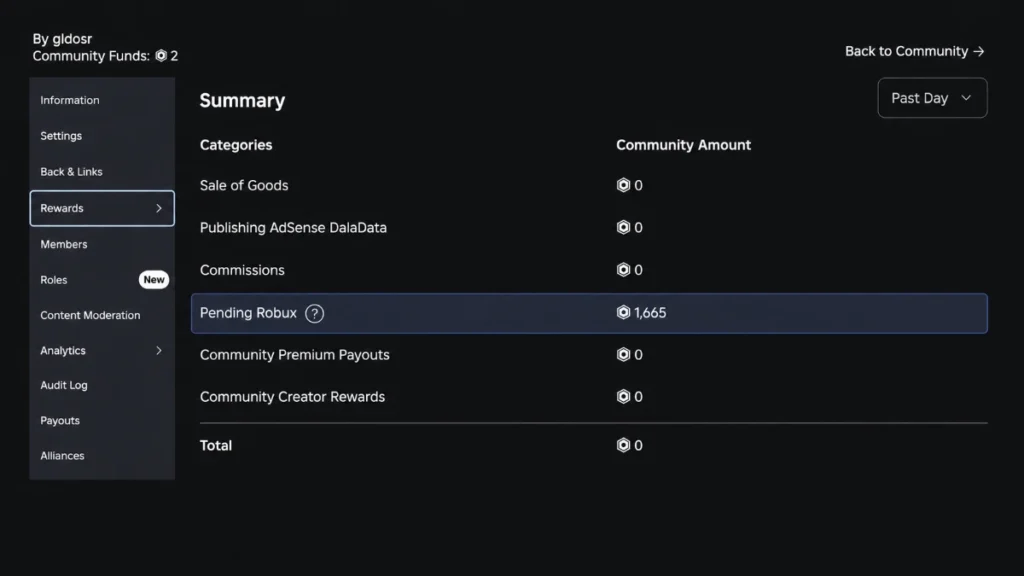
Pending Robux usually clear within a few days. Many players see them appear in their balance within 3 to 7 days.
Some transactions may take longer, especially if the amount is larger or if Roblox needs to perform extra checks. In those cases, pending Robux can take up to 30 days to appear.
If your Robux are still pending after 30 days, you should check your transaction history and contact Roblox Support.
What Affects Pending Robux Time?
Several factors can affect how long pending Robux take:
- The size of the transaction.
- The type of item or payout.
- The payment method used.
- Unusual or suspicious account activity.
- Busy periods on Roblox, such as holidays or major events.
Smaller and routine transactions often clear faster, while larger transactions may take longer because they receive additional review.
Can You Speed Up Pending Robux?
There is no official way to make pending Robux clear faster. Roblox handles the process automatically, and support usually cannot release Robux early.
Refreshing your page, logging out, or checking repeatedly will not speed things up. The best option is to wait for the review period to finish.
How to Check Pending Robux
On PC or Laptop
- Log in to your Roblox account.
- Click your Robux balance in the top-right corner.
- Select My Transactions.
- Open the summary or incoming Robux section.
- Review the pending amount and transaction date.
On Mobile
- Open Roblox in a mobile web browser.
- Sign in to your account.
- Tap your Robux balance.
- Open My Transactions.
- Check the pending Robux section.
This helps you see how much Robux is pending and when each transaction was made.
What to Do If Robux Are Still Pending After 30 Days
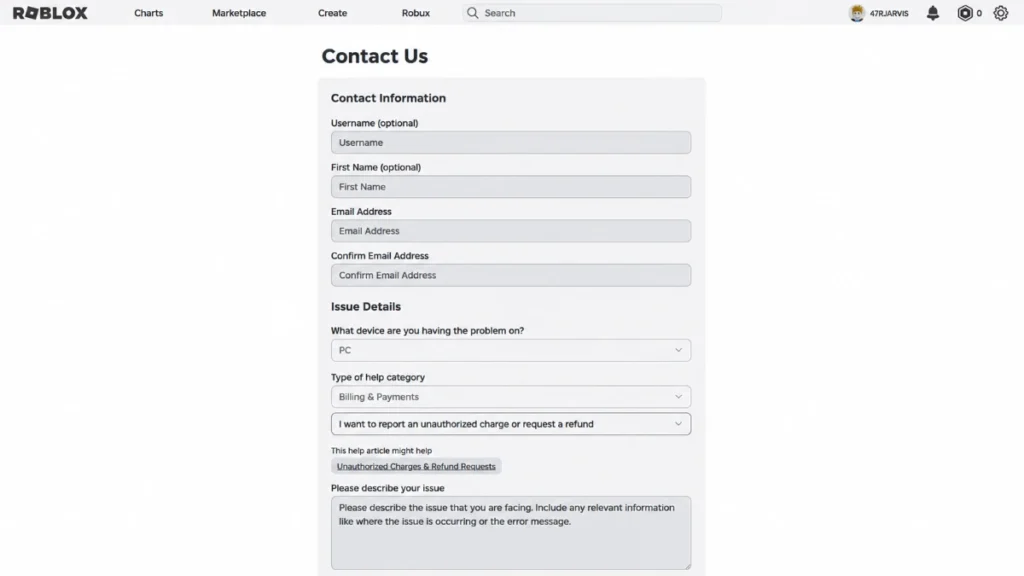
If your Robux are still pending after 30 days, review your transaction history first. Make sure the sale or payout went through correctly and that there were no billing issues or refunds.
If everything looks normal and the Robux still have not appeared, contact Roblox Support with your username and transaction details. They can investigate the issue and help you find the cause.
Conclusion
Pending Robux are a normal part of Roblox’s payment and verification system. Most Robux clear in a few days, but some transactions may take longer depending on the amount and risk review.
For the best results, keep an eye on your transaction history and be patient during the waiting period. In most cases, your Robux will appear automatically once Roblox finishes processing them.