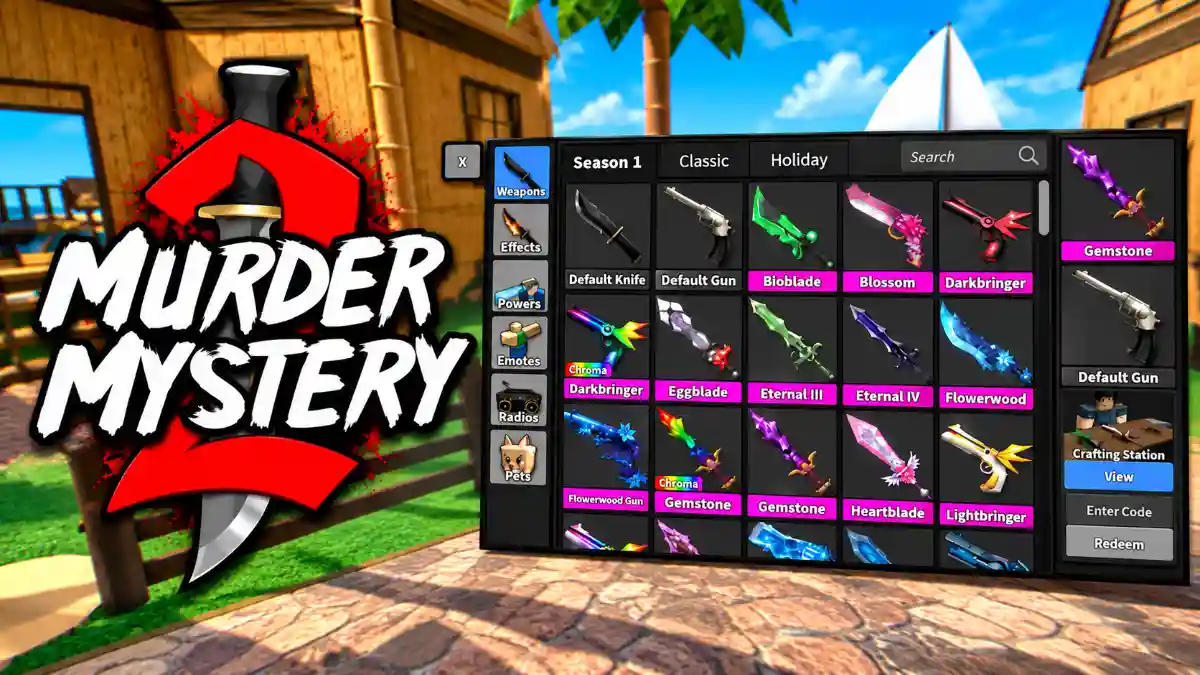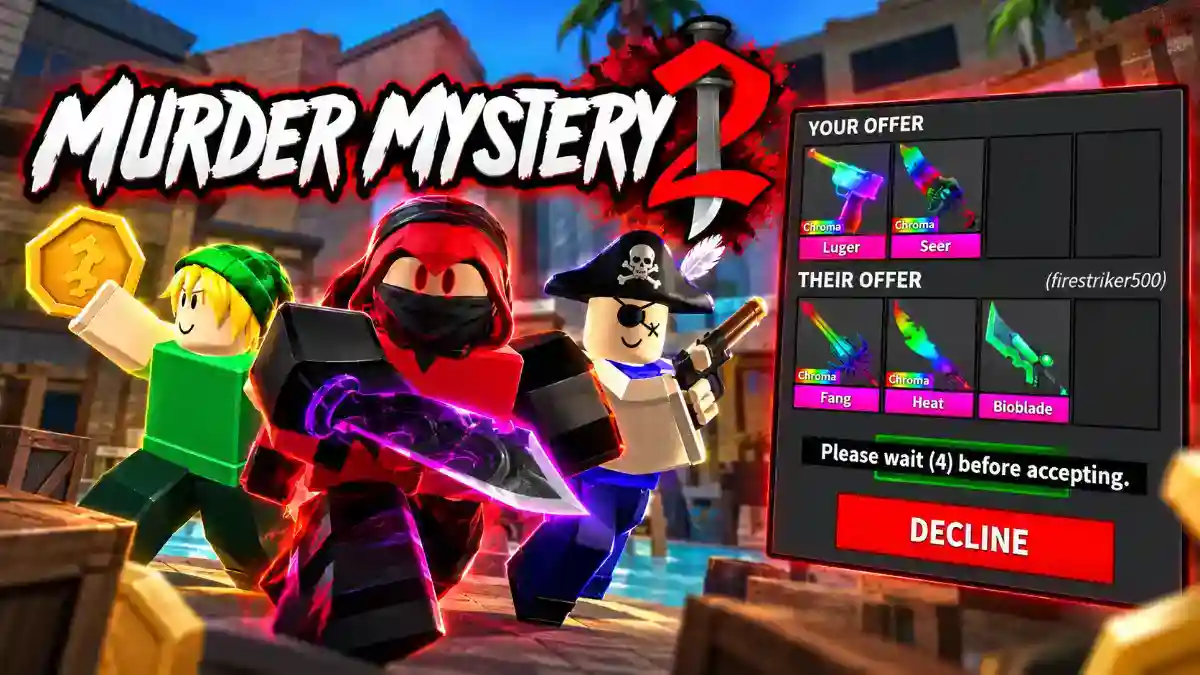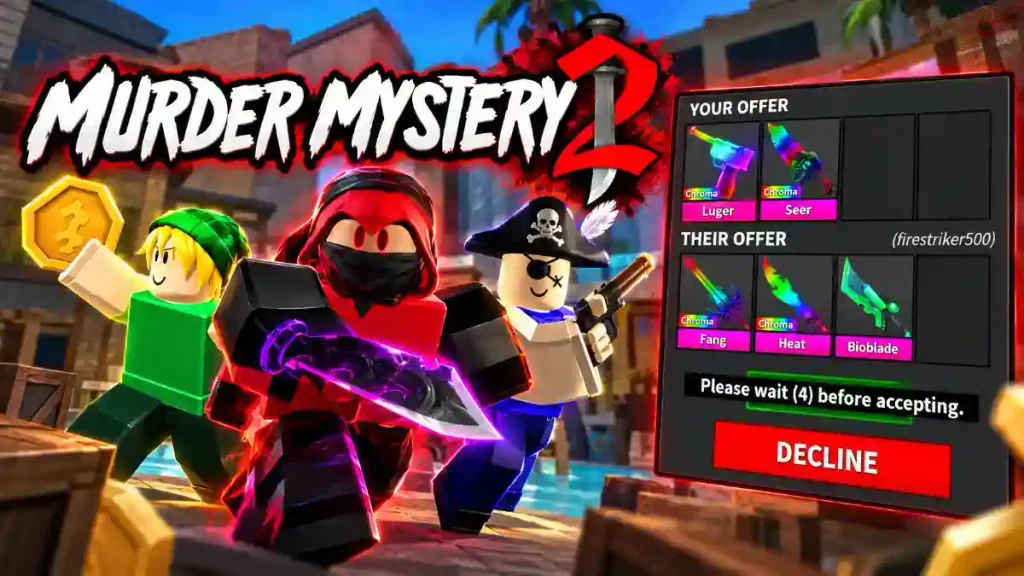
Murder Mystery 2 is a Roblox game where you can collect weapon skins and exchange items with other players. Trading lets you swap items from your inventory for collectibles you want.
To trade in Murder Mystery 2, open the player list, select another player, and send a trade request. Once they accept, add your items, review their offer, and complete the exchange only when both sides match your agreement.
Before starting, choose what you are willing to give away. Checking the complete offer matters more than accepting quickly or receiving a larger number of items.
What You Need Before Trading in MM2
You need access to the game’s trading feature and an item that can be added to an exchange. If trading is unavailable for your account, check any unlock requirement or restriction displayed in the game.
Review your inventory before approaching another player. Decide which items you want to keep and which ones you are comfortable exchanging.
A useful preparation checklist is:
- Choose the item or items you want to offer.
- Decide what you would accept in return.
- Check the exact names and versions of unfamiliar items.
- Compare estimated values if the exchange involves valuable collectibles.
Do not promise an item before checking whether you can place it in the trade window.
How to Trade in Murder Mystery 2
Follow these steps to send a request and review an exchange. Menu locations can differ between devices, so use the player-list and trade controls visible on your screen.
1. Open the Player List
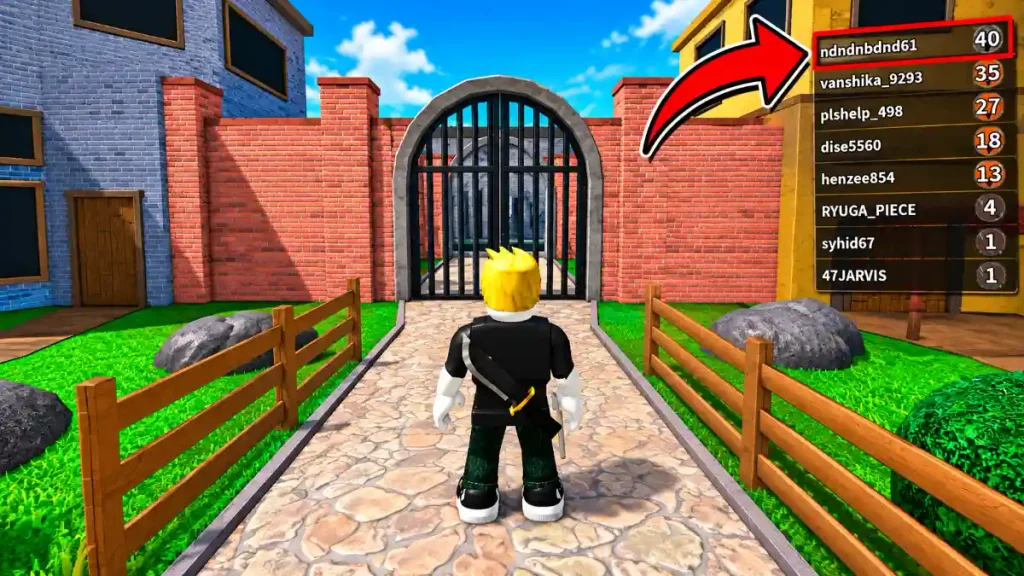
Join a Murder Mystery 2 server and find the player list.
Select the person you want to trade with. Check their name carefully if several players have similar display names.
On mobile, you may need to open the available menu controls to access the player list. The remaining exchange process follows the same basic steps.
2. Send a Trade Request
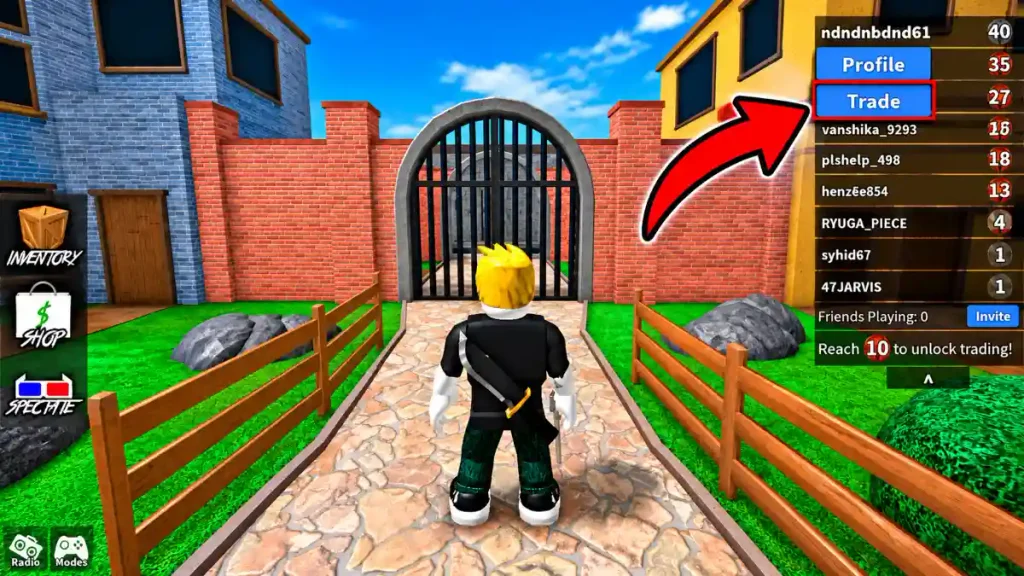
Choose the trade option associated with that player and wait for a response.
Sending a request does not transfer your items. It invites the other player to open an exchange with you.
They can accept, decline, or ignore the invitation. If they do not respond, find another willing player rather than repeatedly sending requests.
3. Add Your Items
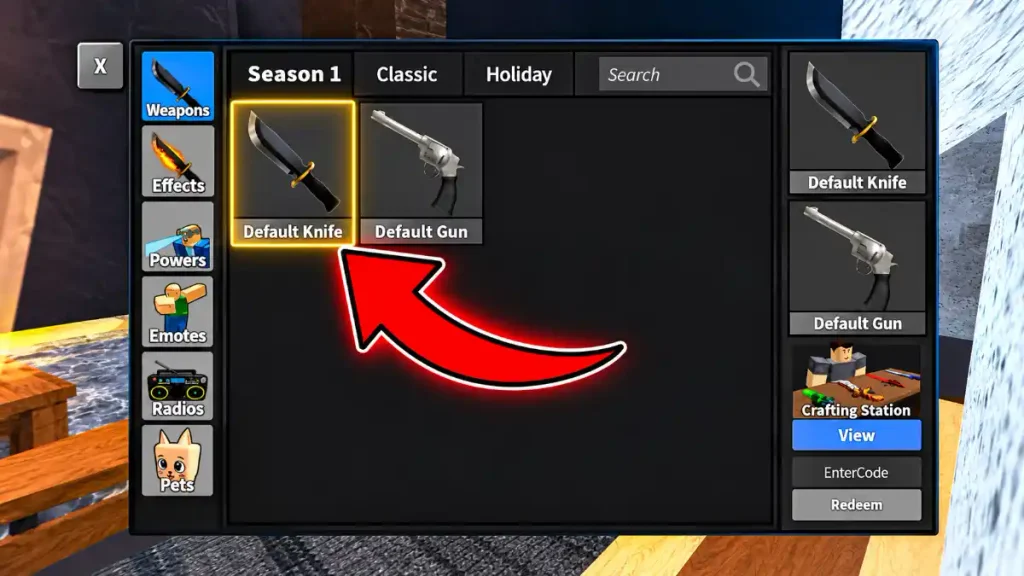
When the trade window opens, select the items you agreed to offer.
Check your side before continuing. If you accidentally add an extra item, remove it immediately.
For example, if you agreed to exchange one knife, make sure a second collectible has not been included by mistake. Do not accept a promise that it will be returned afterward.
4. Inspect the Other Player’s Offer
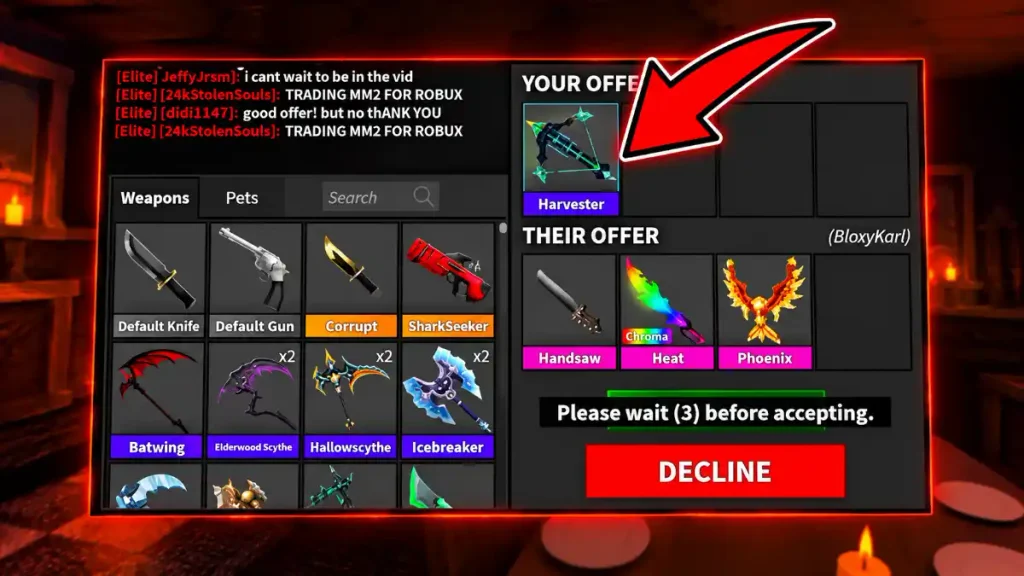
Read the names of the items displayed in the trade window. Do not rely only on their appearance or on what the other player said in chat.
Check that the exact items and versions match your agreement. Similar colours or designs can make different collectibles easy to confuse.
If something is missing or incorrect, ask the player to adjust the offer. You can cancel if the exchange no longer matches what you wanted.
5. Complete the Exchange
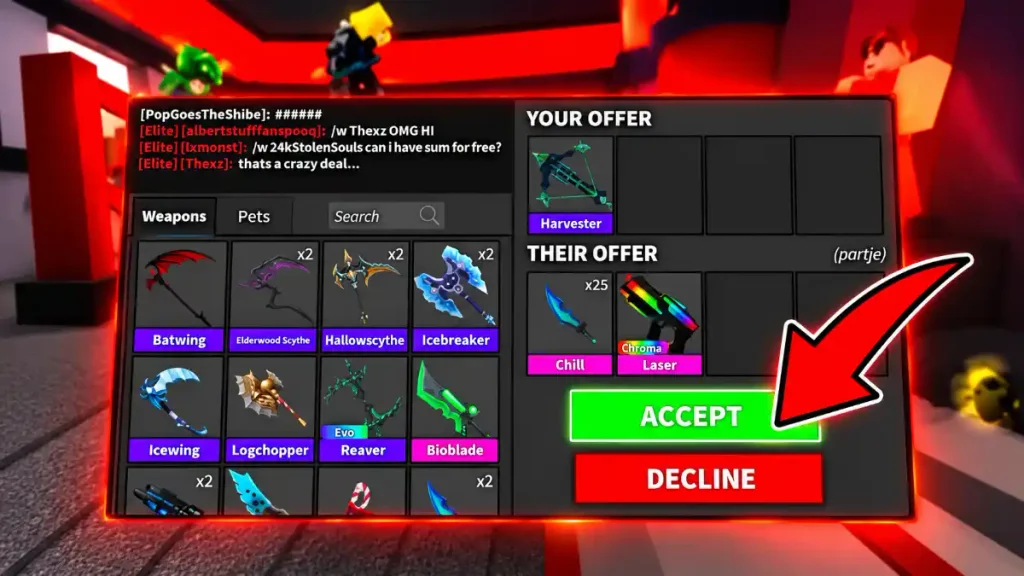
Review both sides one final time, then use the acceptance controls displayed in the trade window. Read any additional confirmation prompt before proceeding.
Check that:
- You are giving away only the intended items.
- You are receiving the complete agreed offer.
- You understand the value comparison.
- Nothing depends on a second exchange or later payment.
If either player changes the offer, inspect everything again before accepting. Agree only to the items currently visible, not to a promise about what will happen later.
How to Compare MM2 Trade Offers
Community value lists can help you compare collectibles, but their figures are estimates rather than fixed prices every player must follow.
An offer that appears balanced on a value list may still be declined. Players can have different preferences, collection goals, or expectations.
Use One Value Reference Consistently
Check both sides of the exchange using the same reference.
Comparing one item’s figure from one list with another item’s figure from a different list can create a misleading result. The lists may use different assumptions or update at different times.
Also confirm that you are looking at the exact item and version being offered.
Look Beyond the Number of Items
Receiving more items does not automatically make an exchange better.
For example, suppose you offer one knife and the other player offers three collectibles. Check each exact item using the same reference, then consider whether you actually want the offered collection.
Do not let a crowded trade window distract you from the quality of the offer.
Consider Demand and Your Own Goals
Some value resources include demand information alongside their estimates. This can provide context, but it does not guarantee that you will quickly find another player willing to take an item.
Your own preferences matter too. You might prefer a weapon you want to equip over several collectibles you do not enjoy.
The goal is to understand the exchange and make a deliberate choice, not to accept because someone insists it is a bargain.
Why Is Trading Not Working in MM2?
If you cannot start or complete an exchange, check the issue before assuming there is a technical problem.
| Problem | What to check |
|---|---|
| The trade option is unavailable | Look for an unlock requirement or restriction displayed by the game. |
| Your request gets no response | Check whether the other player accepted or is still in the server. |
| You cannot find the controls | Open the player list and look for the labelled trade option. Menu locations may differ. |
| An item cannot be selected | Check whether the item can be added to the exchange. Do not promise it if it cannot. |
| The offer differs from your agreement | Stop and ask the other player to correct it before accepting. |
Avoid unofficial workarounds that require sharing account access or transferring an item before the full offer is ready.
MM2 Trade-Safety Checklist
An exchange should let you inspect what you are giving away and what you will receive. Be cautious when someone asks you to rely on trust instead.
Keep the Entire Deal Together
Avoid “you go first” arrangements.
If someone offers one item now and promises another in a later trade, the second item is not part of the exchange you can currently inspect.
Ask for the complete offer together. If that is not possible, do not treat the promised item as something you are guaranteed to receive.
Do Not Lend Items You Want to Keep
A promise to return a collectible does not mean you still control it after transferring it.
Do not lend an item for a video, screenshot, or temporary showcase if you would be upset to lose it.
Keep Your Account Details Private
Your password is not needed to complete an MM2 trade.
Do not share login details with someone offering to check your inventory, arrange an exchange, or claim a reward for you.
Take Time to Review Changes
Read the final offer carefully, especially if either player adds or removes something.
If another player pressures you to accept immediately, cancel rather than agree to an exchange you have not checked.
Make Your Decision Before Accepting
Do not complete a trade expecting that you can undo it or recover your items afterward.
Start with a simple exchange involving items you understand. Once you have checked both sides and are comfortable with the agreement, you can decide whether to proceed.