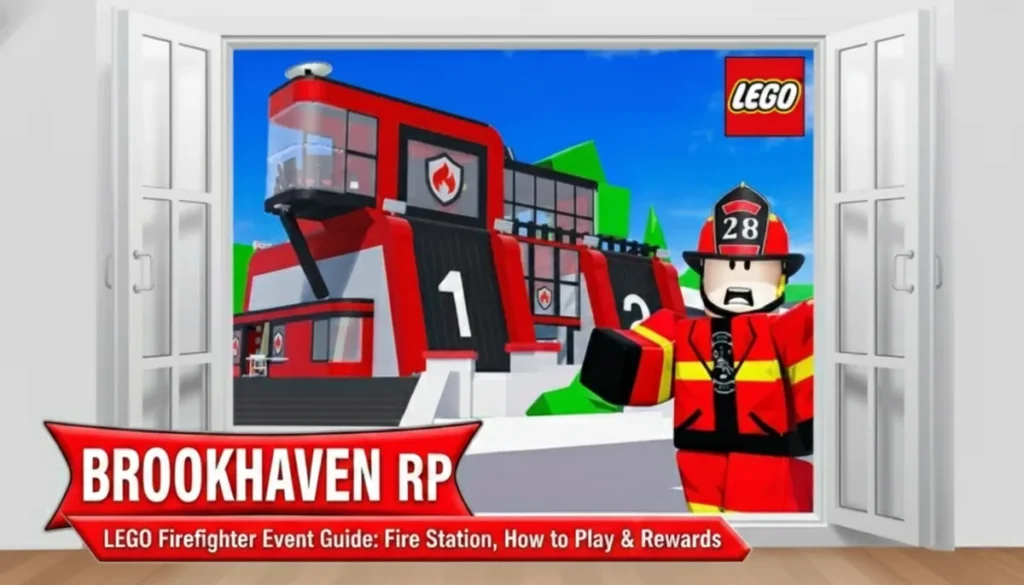
Brookhaven RPs LEGO Firefighter Event is an exciting limited-time update launched around April 16, 2026, designed for players to dive into immersive firefighter roleplay. It transforms everyday gameplay into a heroic mission where you battle random fires popping up across the map, using vibrant LEGO-themed gear that adds a blocky, playful twist to the action.
This collaboration between Brookhaven RP and LEGO Group replaces the mall with a massive Fire Station, sparking fires at various town spots that demand quick teamwork to extinguish. As teased officially, it is only the start of a multi-week series. Week 1 focuses on core firefighting, with hints of expansions like new emergencies or vehicles arriving soon after, keeping players hooked through ongoing reveals.
Positioned conveniently across from Burger Barn and near Brookhaven Airport, the LEGO Fire Station stands out with its colorful brick design and open hangar layout. Step inside to find everything organized for instant action, from suit racks to vehicle spawners, making it the perfect central base for solo runs or group rallies.
The stations central hangar not only stocks shiny firefighter suits but also features interactive elements like the iconic red pole for dramatic slides down to your truck.
How to Get Started
Enter the Fire Station.
Interact with the hangar for your free firefighter outfit.
Press the green button near the pole to spawn the LEGO firetruck. It fits 5 players: 1 driver, 3 hose users, and 1 helper.
The in-station board or glowing on-screen notifications clearly mark fire outbreaks, cycling through 10 unique buildings so every session feels fresh and purposeful.
How to Put Out Fires
Drive the firetruck to the burning spot (follow the arrow).
Park close, hop out.
Use hoses from the trucks sides or roof. Aim at the fire meter until it hits zero (100 to 0).
Solo takes 15-45 seconds; teams are faster and more fun.
Fires scale dynamically with your crew size, rewarding coordination as streams combine for rapid meter drops, turning potential frustration into triumphant group cheers after each blaze.
Rewards You Can Get
Completing fires across all 10 buildings grants permanent access to the LEGO Firetruck, a standout vehicle with LEGO styling you can summon post-event for endless roleplay. This Week 1 prize sets up anticipation for phased unlocks in coming weeks, ensuring your efforts pay off long-term in Brookhavens world.
Hi there! I'm Sohel, a multi-faceted gamer, blogger, and website wizard. My passion lies in the vibrant worlds of gaming and anime, and I specialize in crafting engaging content and managing websites that cater to these communities.
When I'm not immersed in virtual adventures or crafting compelling words, you can find me sketching intricate designs or indulging in the captivating realms of movies, web series, and poetry.
I'm always eager to connect with fellow enthusiasts, share my knowledge, and collaborate on exciting projects. Feel free to reach out and let's create something amazing together!