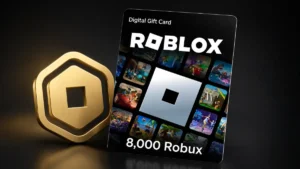
You can get real free Robux with Microsoft Rewards by redeeming your points for official Roblox digital gift cards, but it only works when those cards are available in your Rewards catalog and the offers can change over time. This 2026 guide shows every step, from earning points to redeeming codes on Roblox, and explains the real limitations so you know exactly what is possible and what is not.
What Is Microsoft Rewards?
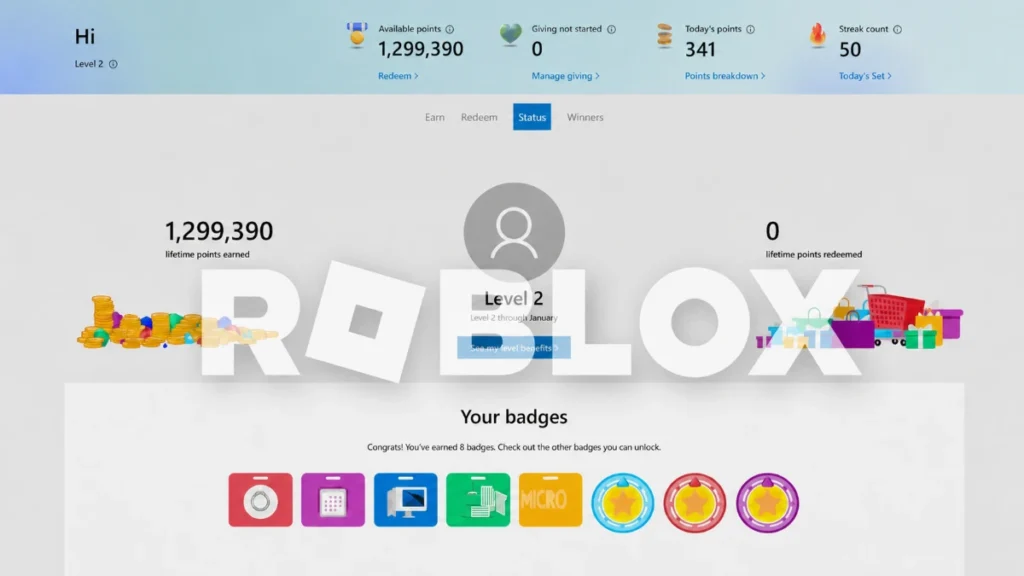
Microsoft Rewards is a free loyalty program that gives you points for using Microsoft services such as Bing, Edge, Xbox, and Microsoft Store. You earn points by:
- Searching the web with Bing and browsing in Microsoft Edge
- Completing daily sets, quizzes, and streak challenges
- Taking part in special offers, punch cards, and eligible shopping
You can redeem these points for rewards including gift cards, sweepstakes entries, donations, and, when available, Roblox digital gift cards that give you Robux.
Can You Really Get Free Robux With Microsoft Rewards?
Yes, you can get free Robux with Microsoft Rewards, but not automatically and not all the time. The key is that Microsoft sometimes offers Roblox digital gift cards in the Rewards catalog, and you can redeem your points for those cards instead of paying cash.
Important things to understand:
- Roblox digital cards are limited stock rewards, not permanent items that are always visible
- Availability and pricing can change and can differ by country or region
- Support forums confirm that Robux rewards are popular, often run out, and may be removed or paused when stock is low
So the method is legit, but you should treat it as a realistic bonus opportunity when conditions are right, not as a guaranteed forever trick.
This guide does not guarantee that Roblox gift cards will be available in your account at all times. Rewards are controlled by Microsoft and Roblox, and offers can be removed, restocked, or repriced without notice. Always rely on your current Rewards catalog for final decisions.
Roblox Digital Cards Available Through Microsoft Rewards
When Roblox rewards are live in the catalog, you will usually see digital cards for different Robux amounts. Common examples include:
- Free Roblox Digital Card – 100 Robux
- Roblox Digital Card – 800 Robux
- Roblox Digital Card – 1,000 Robux
Microsoft notes that availability and pricing of products and services can change, so point costs and the exact Robux amounts may differ over time.
In past offers, players have seen:
- Around 1,500 points for 100 Robux
- Around 16,250 points for 1,000 Robux
These numbers are only examples. The exact point cost for each Roblox card in your account can be higher or lower and may change as Microsoft updates the catalog.
You can optionally include a simple, clearly labeled table in your article:
Example Robux and points table (values may change):
- 100 Robux – about 1,500 points
- 200 Robux – about 3,000 points
- 400 Robux – about 6,750 points
- 800 Robux – about 13,000 points
- 1,000 Robux – about 16,250 points
Disclaimer: These values are examples only. Real point costs and availability may be different in your account and can change at any time.
Always tell readers to open their own Redeem page to see current prices instead of trusting any fixed table.
How To Join Microsoft Rewards
Before you earn points for Robux, you need a Microsoft account and an active Rewards profile.
- Go to the Microsoft Rewards website in your browser and sign in with your Microsoft account.
- Accept the program terms and confirm your country or region.
- Optional: install the Microsoft Rewards browser extension so you can see your point balance and new earning opportunities directly in Edge.
Once you are enrolled, you will see your point balance, daily activities, and redeemable rewards in a dashboard.
Check Out Also: 12 Real Ways to Earn Robux in Roblox
Best Ways To Earn Microsoft Rewards Points Quickly
To reach Roblox card requirements faster, focus on the most efficient earning methods in Microsoft Rewards.
Daily Sets And Streaks
The Daily Set is a bundle of easy tasks like quizzes, polls, and click through activities that refresh every day. Completing them earns:
- Base points for each task
- Streak bonuses when you complete sets on consecutive days
Long streaks can unlock extra bonus points, so treating the Daily Set as a small daily habit is one of the best ways to grow your point balance over time.
Bing Searches And Edge Usage
Using Bing as your main search engine and browsing with Microsoft Edge generates points up to a daily cap. Many guides recommend:
- Setting Bing as your default search engine
- Using Edge as your main browser instead of others
That way, you earn points passively while you do normal daily searches and browsing.
Extra Offers, Punch Cards, And Shopping
Your Rewards dashboard may show:
- Punch card missions with small quests and multipliers
- Limited time promotions linked to games, apps, or services
- Points for eligible purchases through the Microsoft Store or Xbox
Checking the Earn tab weekly and completing available offers can add thousands of points over time, according to community experiences and tutorials.
Based on those reports and testing, consistently doing daily sets, Bing searches, and punch card offers for several months has been enough for many users to reach the point requirement for higher value Roblox cards, when those cards were in stock.
How To Redeem Microsoft Rewards Points For Robux
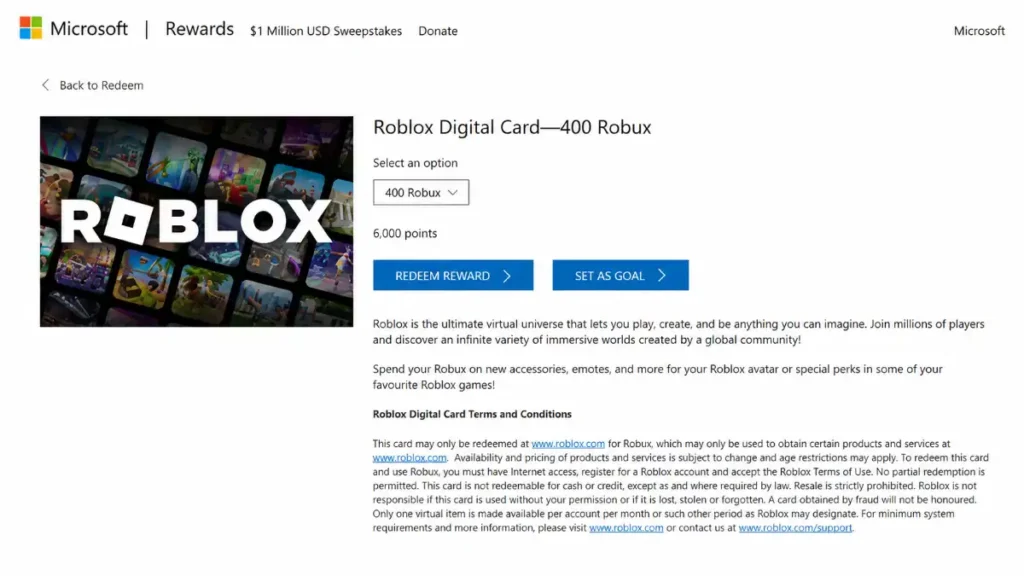
Once you have enough points and Roblox cards are visible in your catalog, you can redeem them for free Robux.
Step 1: Open The Redeem Page
- Go to the Microsoft Rewards website and sign in
- Click the Redeem or Use Points section to see all available rewards
- Use the search bar to look for “Roblox” or “Roblox digital card”
Step 2: Choose Your Roblox Digital Card
- Select the Roblox card with the Robux amount you want, for example 100, 800, or 1,000 Robux when available
- Check the current point cost and confirm that you have enough points
- Optionally set the Roblox card as a goal so you can track your progress toward it in the Rewards interface
Step 3: Confirm The Reward Redemption
- Click Redeem and follow the on screen prompts to finalize the reward
- After redeeming, open your Microsoft Rewards Order history to confirm that the order was created
Step 4: Receive Your Roblox Code
- Microsoft delivers a digital gift card code (PIN) by email and or shows it in your Order history
- If you do not see a code, check your spam or junk folder and refresh the Order history page
- If there is still no code after a reasonable time, contact Microsoft Rewards support with your order details
How To Redeem Roblox Gift Card Codes On Roblox
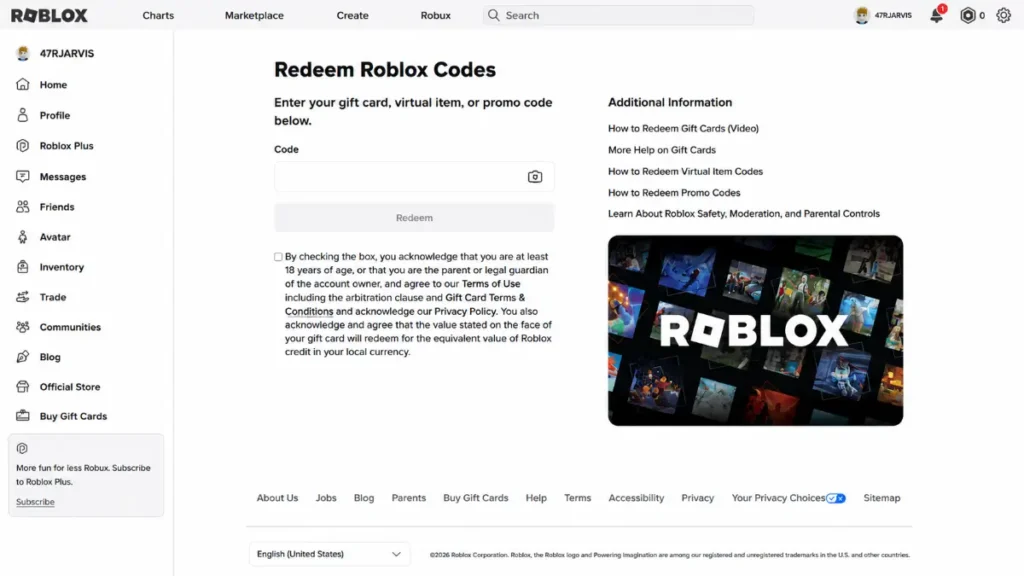
After you have received your Roblox gift card code from Microsoft Rewards, you redeem it on Roblox’s official site.
- Open a browser and go to roblox.com/redeem
- Sign in to your Roblox account
- Enter the gift card PIN exactly as shown, without spaces or extra characters
- Click Redeem and wait for the confirmation that your Robux or Roblox Credit has been added to your account
Official Roblox tutorials confirm that this is the correct way to redeem both digital and physical cards on PC or mobile browsers. Once the credit is in your account, you can use it to buy Robux or convert credit to Robux through the Roblox purchase flow.
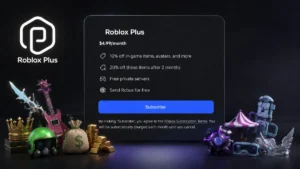
Check Out Also: Does Roblox Plus Give You Robux?
What If Roblox Gift Cards Do Not Show Up In Your Microsoft Rewards Catalog?
Many players open Microsoft Rewards and cannot find any Roblox digital cards at all. This is a common situation and it usually means:
- Roblox rewards are currently out of stock
- Microsoft and Roblox may have paused or removed the offer for your region
- There is no announced timetable for when specific Robux amounts will return
Support responses and forum threads explain that Robux rewards are some of the most popular items in Microsoft Rewards. Because of that, they regularly run out and are removed from the catalog until Microsoft restocks them or changes the offer.
If you do not see Roblox cards:
- Check the Redeem page regularly to see whether the cards reappear or show messages like “Back soon”
- Consider using your points for other rewards such as general Microsoft gift cards, sweepstakes entries, or donations so your points are not wasted
- Remember that no one outside Microsoft can tell you when Robux codes will be restocked, there is no reliable trick to force them to appear
This is why it is important to present this method as an opportunity, not a guarantee.
Common Issues And How To Handle Them
Missing Robux Code After Redemption
Some users redeem a high value Roblox card and do not receive any PIN or email.
If this happens, the safest steps are:
- Check Microsoft Rewards Order history to confirm the reward was processed
- Verify your email address and check your spam or junk folders
- If there is still no code, contact Microsoft Rewards support and provide your order number and screenshots
Robux Rewards Out Of Stock Or Removed
Players often ask why Roblox gift cards were removed from Microsoft Rewards after saving points for months.
Explain clearly:
- Microsoft and Roblox run Robux codes as a special limited reward, not a permanent feature
- When stock is low or offers change, specific Robux amounts can be marked “Back soon” or completely removed
- The only practical solution is to check the rewards page regularly and use your points for other rewards while waiting for possible restocks
This honest explanation helps users manage expectations and reduces frustration.
Check Out Also: Roblox UGC Creator Guide 2026
Safety Tips: Avoid Fake Free Robux Methods
Because “free Robux” is a popular search, many unsafe and fake methods are promoted online.
Make these safety rules clear in your article:
- Only trust official channels for this method: Microsoft Rewards on the official Rewards site and Roblox’s own redeem and gift card pages
- Avoid Robux generators, suspicious browser extensions, or websites that ask for your Roblox password or personal data
- Be skeptical of apps or survey based schemes that promise Robux but are not affiliated with Roblox or Microsoft, many user reviews report that these rarely pay out and can be risky
Emphasizing safe, official methods builds trust with readers and helps them avoid scams.