
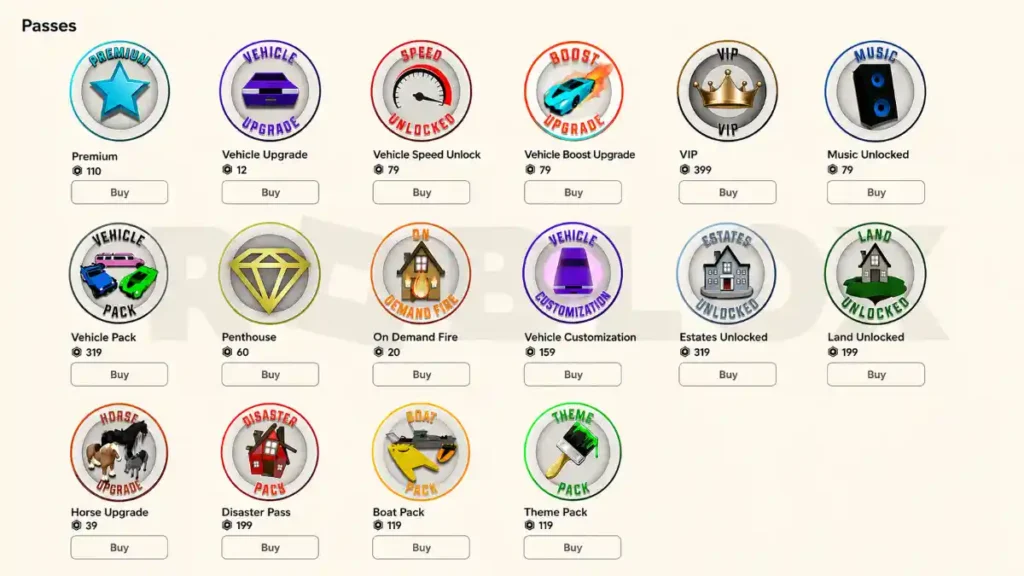
Roblox gives creators powerful tools to earn Robux from the games and experiences they build. The most common ways are selling game passes, offering in‑game items through developer products, and designing experiences that reward you when players spend time and currency in your game.
With a fun game and smart monetization, your creations can turn into a reliable source of Robux and, if you qualify, real‑world money through Roblox’s Developer Exchange program.
What Are Game Passes on Roblox?
Game passes are one-time purchases that give players permanent benefits or special access inside a specific game. When a user buys a pass, they own that perk in that game forever, as long as the experience stays available.
Passes are ideal for upgrades that feel meaningful and long‑term, rather than temporary boosts.
Typical game pass ideas include:
- Access to VIP or restricted areas
- Special powers like faster movement, double jump, or extra health
- Double coins or XP for quicker progression
- Unique tools, weapons, pets, or cosmetic perks
Good passes are optional but attractive: they don’t lock the main gameplay behind a paywall, but they make the experience more fun or more efficient for paying players.
Developer Products vs Game Passes
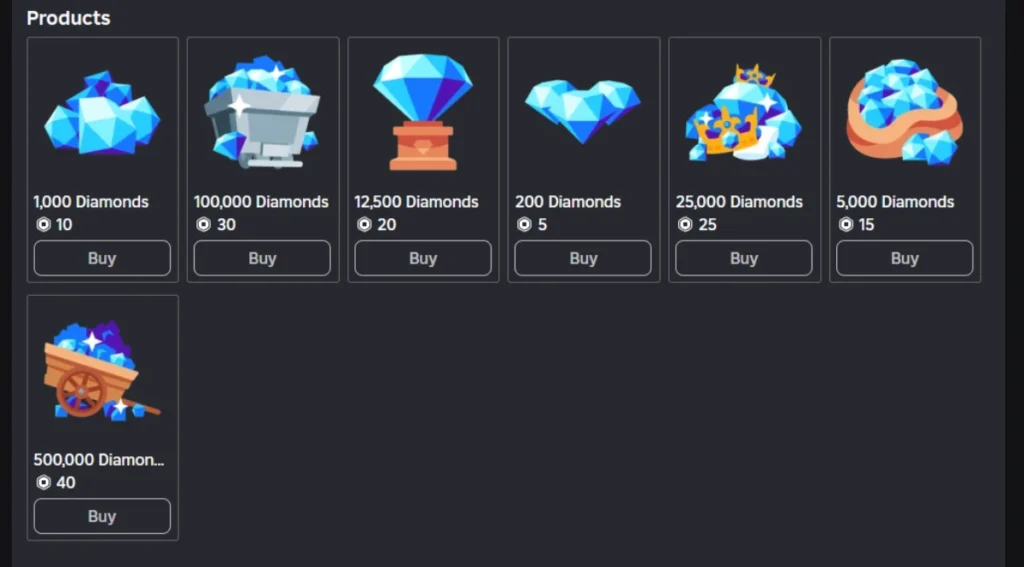
Developer products are another monetization option. Unlike game passes, developer products can be purchased multiple times, and they are usually used for consumable items or repeatable boosts.
Key differences:
- Game passes
- One-time purchase.
- Grants a permanent benefit or access in that game.
- Best for “upgrade” style perks and VIP features.
- Developer products
- Can be purchased over and over again.
- Often used for currency packs, temporary boosts, revives, or consumable items.
- Best for ongoing spending and repeat purchases.
Many successful games mix both: game passes for permanent upgrades and developer products for ongoing revenue, so players can choose between big upgrades and smaller, repeatable purchases.
How to Create Game Passes
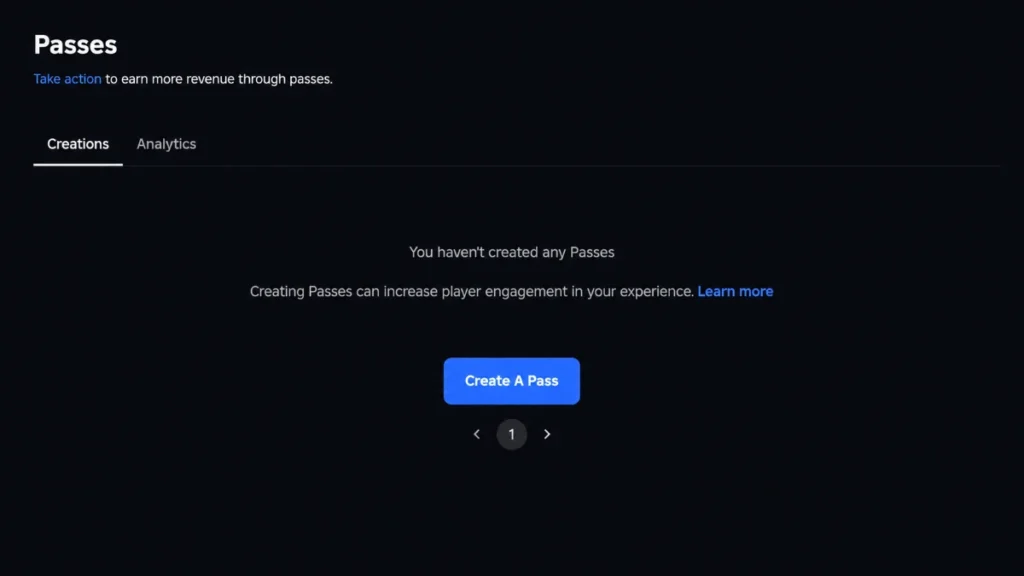
You create game passes in the Roblox Creator Hub. The typical flow looks like this:
- Go to Creations and select the game you want to monetize.
- Open the Monetization section and choose Passes.
- Click Create pass.
- Upload a clear, relevant icon image—this is what players will see in the store.
- Enter a name that describes the benefit, such as “VIP Area Access” or “2x Coins Boost.”
- Write a simple description explaining exactly what the pass does.
- Save the pass.
To sell the pass:
- Open the pass settings.
- Go to the Sales section.
- Enable Item for Sale.
- Set a price in Robux and save.
- The pass will then appear on your game’s Store page and can also be sold through in‑game menus you script.
How to Price Game Passes to Earn More Robux
Pricing is one of the most important parts of earning Robux. Roblox lets you set prices in a wide range (from very low to extremely high), but the amount you earn depends on both the price and how many players are willing to buy.
Basic pricing principles:
- Start with moderate prices so new players aren’t scared away.
- Use higher prices only for very strong, “premium” perks that clearly feel worth it.
- Offer several passes at different price points to reach players with different budgets.
- Adjust prices over time as you see how players react.
Think in terms of total Robux, not just price per purchase. A pass priced at 50 Robux that many players buy might earn more overall than a pass priced at 200 Robux that only a few players purchase.
Simple Earnings Example
Imagine:
- Daily players: 300
- Conversion rate: 10% (30 of those players buy the pass)
- Pass price: 25 Robux
Daily Robux from that pass would be:
300 × 0.10 × 25 = 750 Robux.
The real numbers in your game will depend on your audience, game quality, perceived value of the pass, and how well you present it in your UI.
Check Out Also: 12 Real Ways to Earn Robux in Roblox
When a player spends Robux in your game, you don’t receive 100% of that spend. Roblox takes a platform cut, and the rest becomes Earned Robux on your account. In some cases, there may also be an owner or affiliate share if items are sold across different experiences.
The exact percentages can vary based on what is being sold and where, but the key idea is:
- Players buy Robux with real money.
- They spend Robux in your game on passes, products, or access.
- Roblox takes a cut and credits the remainder to you as Earned Robux.
- Earned Robux can later be used for purchases, reinvested into ads or assets, or cashed out via DevEx if you qualify.
Understanding this flow helps you treat your game like a small business rather than assuming every Robux spent goes directly to you.
Other Legit Ways to Earn Robux as a Creator
Beyond game passes and developer products, creators can earn Robux through several channels:
- Game passes – one-time purchases that grant permanent perks or access.
- Developer products – repeatable purchases for consumables and boosts.
- Private servers – players pay a monthly Robux fee for private game servers for themselves and friends.
- Engagement rewards – systems that reward you based on how much time certain users spend in your experience.
- Selling UGC items or clothing – designing avatar items, accessories, or clothing for the marketplace.
- Access fees or subscriptions – charging access fees or subscription-style payments for your game in certain setups.
Your main focus can remain on passes and items, but mentioning these other paths helps readers see the full monetization picture.
Connecting Purchases to Gameplay (Scripting the Benefits)
Creating and selling a pass or product is only half the work. You also need to connect each purchase to real changes in gameplay using scripts in Roblox Studio.
Core steps:
- Check ownership
- When a player joins your game or reaches a certain area, your scripts check whether they own specific game passes.
- For developer products, you check whether they just purchased a product and then apply the reward.
- Grant the benefit
- If the player owns the pass, you unlock the area, enable the ability, or apply the multiplier.
- If they buy a developer product, you grant them currency, items, or boosts.
- Use secure logic
- Handle ownership checks and perk granting on the server side so players can’t simply fake purchases with exploits.
- Keep your code clear and well‑organized so updates are easier later.
This connection between purchase and gameplay is what makes players feel that spending Robux was worth it.
Engagement Rewards and Time-Based Earnings
Roblox has systems that reward creators based on how much time certain users spend in their experiences. Sometimes called Premium or engagement-based payouts, these systems pay you Robux when qualifying users engage with your game for meaningful sessions.
The practical takeaway is simple:
- The more people enjoy your game and stay longer, the more potential you have to earn Robux—even when they aren’t actively buying passes or products.
- Designing fun, replayable gameplay is just as important as monetization itself.
Treat engagement rewards as a bonus that grows alongside your core monetization strategy.
DevEx: Turning Earned Robux Into Real Money
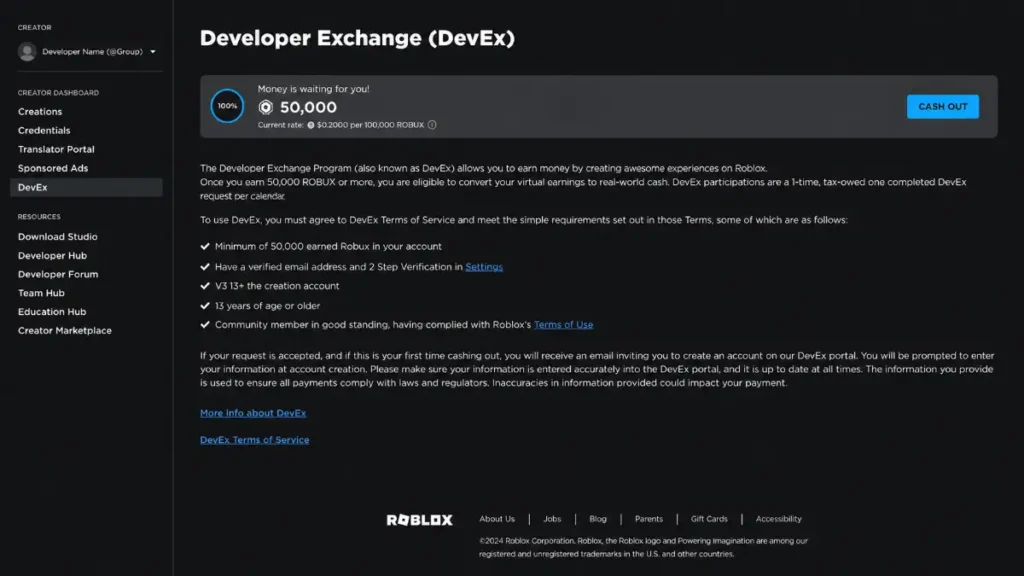
Earning Robux inside Roblox is only part of the story. If you reach certain thresholds and meet Roblox’s requirements, you can use the Developer Exchange (DevEx) program to convert earned Robux into real-world currency.
Key DevEx points:
- You must have a minimum amount of Earned Robux before you can cash out.
- You need to meet account requirements, such as being old enough, having a verified email, and using the DevEx portal.
- Cashed‑out Robux become taxable income in many countries, so serious creators should treat it like a small business.
For most new creators, DevEx is a long‑term goal: first build a game that players love and that earns consistent Robux, then apply for DevEx once you qualify.
“Free Robux” Scams vs Legit Earning
Any article about earning Robux should warn readers about “free Robux” scams. Many websites, apps, and videos promise free Robux if you complete surveys, enter your password, or install something. These are almost always unsafe.
Red flags to warn about:
- Sites that ask for your Roblox password or 2FA code.
- “Generators” that promise unlimited Robux after you enter your account details.
- Fake “official” messages or social posts claiming to give free Robux if you click a link.
- Apps or extensions that claim to inject Robux into your account.
Safe ways to get Robux:
- Buying Robux through official Roblox purchase options.
- Earning Robux by creating games, passes, products, and assets that players choose to buy.
- Using DevEx to cash out earned Robux if you meet the requirements.
Make it clear in your content that “free Robux” generators are not legitimate and encourage readers to stick to official, creator‑driven methods instead.
Check Out Also: Roblox Creator Rewards Guide: How to Earn Robux in 2026
How to Present Passes and Items for Better Sales
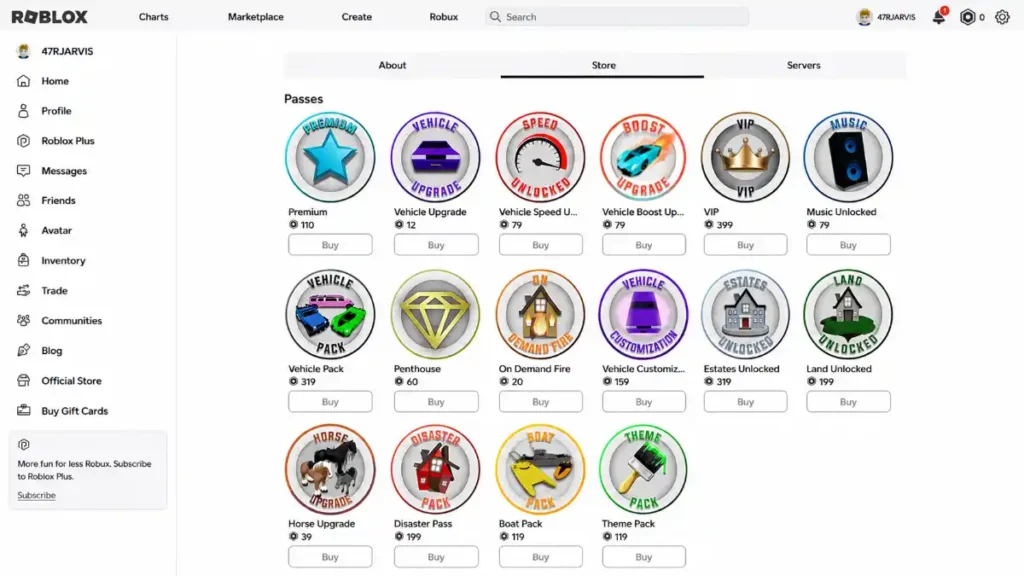
Beyond the technical side, presentation and marketing inside your game make a big difference:
- Use clear, exciting names that describe the benefit (“2x Coin Booster” instead of “Booster”).
- Show players where to buy passes and products with simple, visible buttons or menus.
- Offer previews: let players see a locked VIP area or try a power briefly before buying.
- Avoid aggressive pay‑to‑win: keep purchases helpful but not mandatory for fun.
- Update your passes and products when you release new game content, and highlight these updates in your game description or splash screens.
When players understand what they get, see that the game is fun even without paying, and feel the benefits right after purchase, they’re more likely to spend Robux and come back.
2k 🥰😍🥰😍💖💖💖
Gracias 🫂🫂🫂